Search products
Remove item Thumbnail image Product Price Quantity Subtotal
× Toshiba e-STUDIO 2006 Start Copy Button – Part No: 6LH882340 Toshiba e-STUDIO 2006 Start Copy Button Price in Bangladesh 1,500.00৳ 
1,500.00৳ 
× eS2018A_5018A V  firmware for Toshiba e-Studio 2518A, 3018A, 3518A, 4518A, and 5018A Photocopiers Toshiba eS-2018A_5018A Firmware Software 3,500.00৳ 
3,500.00৳ 
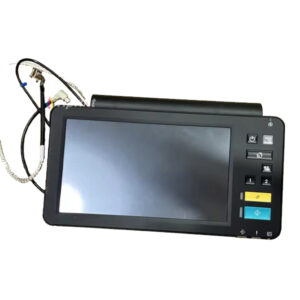
× Toshiba e-STUDIO Control Panel Board for 2518A, Toshiba e-Studio 2518A Series Control Panel Board 7,500.00৳ 
7,500.00৳ 
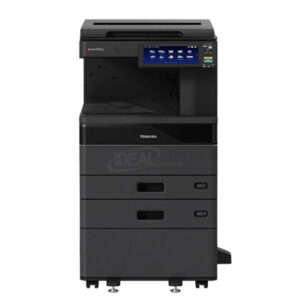
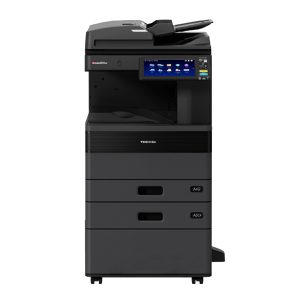
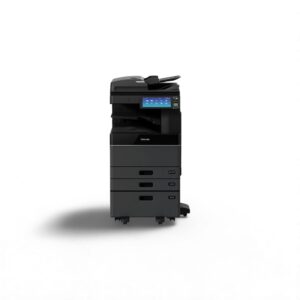
× ### **Main Features of Toshiba e-STUDIO 2528A Copier** ✔ **Fast Copying Speed** – **25 pages per minute (PPM)** for efficient document processing. ✔ **High-Quality Printing** – **600 x 600 dpi resolution** for sharp and professional prints. ✔ **Quick First Copy Out Time** – Produces the first copy in **less than 4.3 seconds**. ✔ **Large Paper Capacity** – **Standard 1,200 sheets**, expandable up to **5,200 sheets**. ✔ **Automatic Duplex Printing** – Standard **double-sided printing** for cost savings. ✔ **10.1” Color Touch Screen** – Intuitive **WSVGA tilting display** for easy operation. ✔ **Multiple Copying Function** – Capable of making **up to 999 copies** in a single job. ✔ **Versatile Paper Handling** – Supports **A3, LD, and custom paper sizes** from **3.9” x 5.8” to LD**. ✔ **High Monthly Duty Cycle** – Handles up to **100,000 pages per month** for heavy-duty printing. ✔ **Powerful Performance** – Equipped with **4GB RAM** and **128GB SSD** for smooth operations. ✔ **Energy-Efficient** – **Fast warm-up time** (approx. **20 seconds**) for minimal downtime. ✔ **Reliable and Durable** – Built for **long-lasting performance** in business environments. ✔ **Flexible Paper Weights** – Supports paper from **16 lb Bond to 140 lb Index**. ✔ **Standard & Optional Paper Feeders** – Various drawer and cassette options for **customized paper handling**. ✔ **Low Power Consumption** – Maximum **1.8kW (120V)** for energy efficiency. This **high-performance Toshiba copier** is perfect for **businesses, offices, and enterprises** that require **efficient, high-volume printing, copying, and scanning** solutions. 🚀 Toshiba e-STUDIO 2528A Best Monochrome Photocopier 148,000.00৳ 
296,000.00৳ 
× Toshiba Small Series Photocopier Developer Unit Gear Toshiba Small Series Photocopier Developer Unit Gear 1,200.00৳ 
1,200.00৳ 
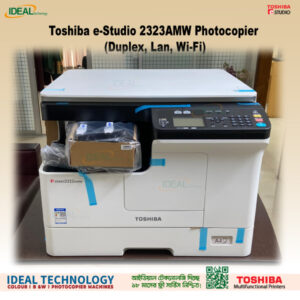
× Toshiba e-Studio 2323AMW Photocopier (Duplex, Lan, Wi-Fi) Toshiba e-Studio 2323AMW Photocopier (Duplex, Lan, Wi-Fi) 58,000.00৳ 
58,000.00৳ 
× The Toshiba e-STUDIO AC Series Firmware (2505AC–5005AC) is a professional system software update designed for Toshiba color multifunction printers. It ensures smooth operation, improves machine stability, and fixes system-level errors. Toshiba e-STUDIO 2505AC/3005AC/3505AC/ 4505AC & 5005AC Firmware 3,500.00৳ 
10,500.00৳ 
× Toshiba e-Studio 2021AC Auto Duplex + Extra Drawer MFPs Colour Printer Toshiba e-Studio 2021AC Extra Drawer With RADF Color Photocopier 170,000.00৳ 
170,000.00৳ 
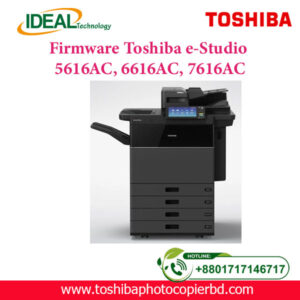
× Download the latest firmware for Toshiba e-STUDIO 5616AC, 6616AC, and 7616AC to fix errors F101 and F106. This update improves device performance, enhances security, and ensures better stability and compatibility with the latest drivers and software. Firmware for Toshiba e-Studio 5616AC, 6616AC & 7616AC 3,500.00৳ 
10,500.00৳ 
× Toshiba e-STUDIO 2528A Repair Service | Original Toner & Spare Parts Toshiba e-STUDIO 2528A Repair Service | Original Toner & Spare Parts 700.00৳ 
700.00৳ 
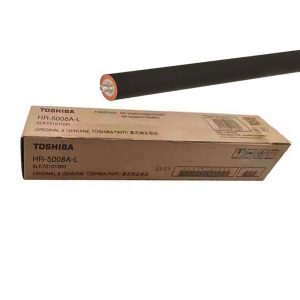
× The Toshiba HR-5008 Original Fuser Roller works for Heating Section to make proper printing of the document easy process. Its estimated copy life is 1,25,000,  made by China & supported for Toshiba e-Studio 3508A; 4508A; 5008A; 3518A; 4518A; 5018A; 3618A; 4618A; 5118A Series Photocopiers . Toshiba HR-5008A-L Original Fuser Pressure Roller 7,500.00৳ 
7,500.00৳ 
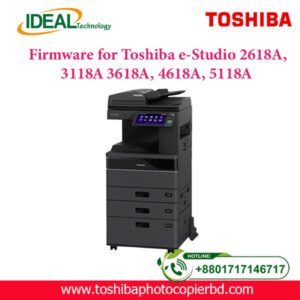
× Firmware-for-Toshiba-e-Studio-2618A-3118A-3618A-4618A-5118A Firmware for Toshiba e-Studio 2618A, 3118A, 3618A, 4618A & 5118A 3,500.00৳ 
7,000.00৳ 
× "Copy King: The Go-To Photocopier Repair Shop in Bangladesh!" Toshiba Photocopier Repairing Service Price in Bangladesh 700.00৳ 
1,400.00৳ 
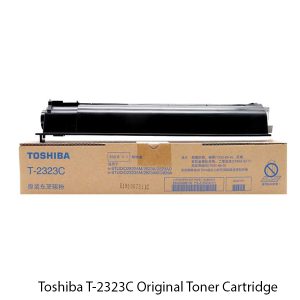
× Toshiba T-2323C Original Toner Cartridge Toshiba T-2323C Original & Genuine Toner Cartridge 6,500.00৳ 
6,500.00৳ 
× Buy Toshiba e-Studio 2021AC Basic MFP Colour Copier Price in Bangladesh The Toshiba e-Studio 2021AC Basic Multifunctional Laser Color Printer has Reliable and Efficient A3 Colour Multifunction Printing System, offering advanced functions to small and medium-sized companies for quality colour printing in all working environments. The organisation within companies has definitely changed in recent years: information must be available everywhere and at any time. The Toshiba e-Studio 2021AC + Extra Drawer + RADF Color Copier Machine has Copy / Print and Scan Function, 20 ppm A4, 12 ppm A3. copy / print Speed, 1200 x99200 1bit DPI resolution, Paper Capacity (Tray 1: 250 pages + Bypass: 100 pages = 350 Pages) 350 Sheets Paper Capacity, 84.000 Colour, 84.000 Monochrome sheets monthly duty cycle, 4 GB RAM, SSD 128GB, Scan to e-filing, USB, PC, SMB, FTP, Email, Twain, Files, Mobile Printing, Network Printing, Cloud Printing, Top Access, e-filing, Template & Standard Scan OCR.They need to maintain secure, permanent access to their data to maintain maximum efficiency and productivity. Print, scan, copy and fax at a speed of 20 pages per minute, Large touch screen (26cm) customizable according to the needs of your company for a great simplicity of’use and optional voice assistance to adapt to all users, Optional voice assistance to adapt to all users, Cloud and mobile printing and a wide range of solutions that simplify the most complex workflows and give you access to your data wherever you are, High level of security guaranteeing the’ integrity of your data and your Computer Park. Toshiba e-Studio 2021AC Multifunctional A3 Color Photocopier (20ppm, Auto Duplex, Lan, RADF) 145,000.00৳ 
145,000.00৳ 
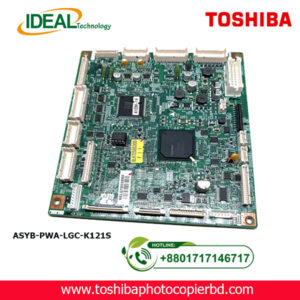
× Main Board Motherboard Fits For Toshiba e-Studio 2518A Toshiba e-Studio 2518A Logic Board/Motherboard 7,500.00৳ 
7,500.00৳ 
× Toshiba e-Studio 2508A Toner, Spare Parts Sales & Service Toshiba e-Studio 2508A Toner, Spare Parts Sales & Service 700.00৳ 
700.00৳ 
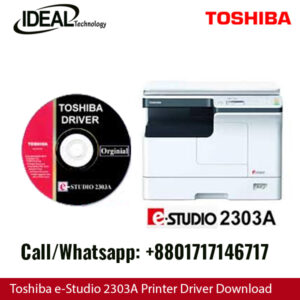
× Printer & Scanner Driver for Toshiba e-Studio 2303A, 2303AM, 2803A, 2309A, 2809A: An Expert Guide Are you looking for the right printer and scanner driver for your Toshiba e-Studio 2303A, 2303AM, 2803A, 2309A, or 2809A? Look no further! In this article, we will provide you with detailed information on how to install, update, and troubleshoot the drivers for these devices. Understanding the Importance of Drivers Drivers are essential software components that allow your printer and scanner to communicate with your computer. Without the proper drivers installed, your devices may not function correctly, leading to issues such as printing errors, scanning problems, and even system crashes. It is crucial to keep your drivers up to date to ensure optimal performance and compatibility with your operating system. How to Install Printer & Scanner Drivers Installing the printer and scanner drivers for your Toshiba e-Studio devices is a straightforward process. You can either download the drivers from the official Toshiba website or use the included installation CD that came with your device. Follow these steps to install the drivers: Download the Drivers: Visit the Toshiba website and navigate to the support section. Enter your device model number (e.g., e-Studio 2303A) and locate the drivers section. Download the latest driver for your operating system. Run the Installer: Double-click on the downloaded file to run the installer. Follow the on-screen instructions to complete the installation process. Connect the Device: Connect your Toshiba e-Studio printer or scanner to your computer using a USB cable or through a network connection. Test the Device: Once the installation is complete, test your device to ensure that it is functioning correctly. Updating Printer & Scanner Drivers Regularly updating your printer and scanner drivers is essential to fix bugs, improve performance, and add new features. Here's how you can update the drivers for your Toshiba e-Studio devices: Check for Updates: Visit the Toshiba website and navigate to the support section. Enter your device model number and look for the latest driver updates. Download and Install: Download the updated driver and follow the same installation process as mentioned earlier. Restart Your Device: After installing the updates, restart your computer to apply the changes. Troubleshooting Printer & Scanner Driver Issues If you encounter any issues with your Toshiba e-Studio printer or scanner drivers, here are some common troubleshooting steps you can follow: Check Connection: Ensure that your device is properly connected to your computer and that the cables are not damaged. Restart Your Devices: Sometimes, a simple restart of your printer, scanner, and computer can fix minor driver issues. Reinstall Drivers: If the problem persists, try reinstalling the drivers by following the installation steps mentioned above. Contact Support: If you are still facing issues, contact Toshiba customer support for further assistance. In conclusion, having the right printer and scanner drivers for your Toshiba e-Studio devices is crucial for optimal performance. By following the steps outlined in this article, you can easily install, update, and troubleshoot your drivers to ensure smooth operation. Remember to regularly check for driver updates to keep your devices running smoothly. Toshiba e-Studio 2303A Printer & Scanner Driver 100.00৳ 
100.00৳ 

Cart totals

Subtotal 735,100.00৳ 
Total 735,100.00৳ 
Search products
Back to Top
Product has been added to your cart