

Description
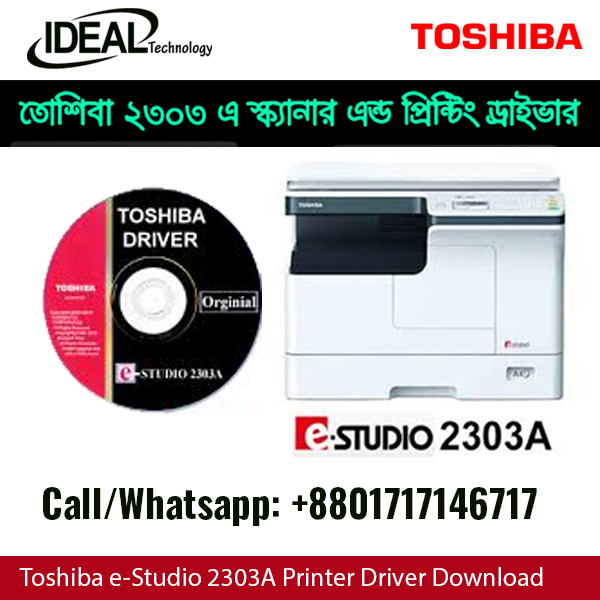
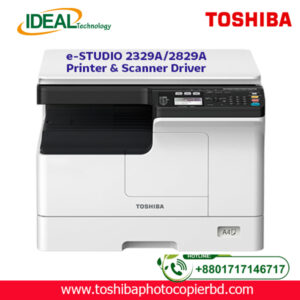
Toshiba e-STUDIO 2303A / 2803A Printer & Scanner Driver
TOSHIBA PHOTOCOPIER BD থেকে Toshiba e-STUDIO 2303A, 2303AM, 2803A, 2309A ও 2809A মডেলের Original Printer & Scanner Driver অনলাইনে সংগ্রহ করতে পারবেন।
মূল্য
- Original Driver Download: ৳ ১০০
বিকাশে পেমেন্ট নিশ্চিত হওয়ার পর WhatsApp অথবা Google Drive Link এর মাধ্যমে ড্রাইভার পাঠিয়ে দেওয়া হবে।
অনলাইন ইনস্টলেশন সাপোর্ট
আমাদের অভিজ্ঞ টেকনিশিয়ান AnyDesk অথবা TeamViewer এর মাধ্যমে অনলাইনে ড্রাইভার ইনস্টলেশন ও সেটআপ করে থাকেন।
সার্ভিস চার্জ:
- USB Connection: ৳২০০
- Network (LAN) Connection: ৳৩০০
আপনি যা পাবেন
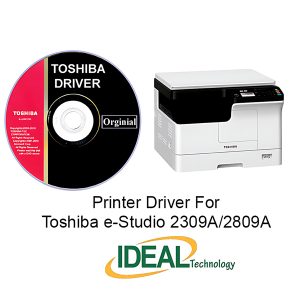
- Original Printer Driver
- Original Scanner Driver
TOSHIBA PHOTOCOPIER BD – বাংলাদেশের বিশ্বস্ত Toshiba Photocopier Driver, Service ও Technical Support প্রদানকারী প্রতিষ্ঠান।
Toshiba e-STUDIO 2303A / 2803A Printer & Scanner Driver Download (Paid Service)
Genuine Toshiba Driver with Online Delivery
Looking for the Toshiba e-STUDIO 2303A / 2803A Printer & Scanner Driver?
TOSHIBA PHOTOCOPIER BD provides the original and tested driver package for Windows users through a secure online delivery system.
Instead of searching unreliable websites, you can receive the correct driver directly from us via WhatsApp or a Google Drive Download Link.
Supported Models
This driver package supports the following Toshiba photocopier models:
- Toshiba e-STUDIO 2303A
- Toshiba e-STUDIO 2303AM
- Toshiba e-STUDIO 2803A
- Toshiba e-STUDIO 2309A
- Toshiba e-STUDIO 2809A
Compatible with:
- Windows 11
- Windows 10
- Windows 8 / 8.1
- Windows 7
- Windows Server (Selected Versions)
Driver Price
Driver Download Only
Price: ৳100
After receiving the payment via bKash, we will send the download link through:
- Google Drive
The package includes:
- Original Printer Driver
- Scanner Driver
- Installation Files
- Basic Installation Guide
Online Installation Support
If you need assistance installing the driver, we also provide remote installation support.
Support Charge: ৳200
Remote support available through:
- AnyDesk
- TeamViewer
Our technician will remotely install the printer and scanner driver and ensure everything is working properly.
Installation Guide
After receiving the download link:
- Download the ZIP file.
- Extract the file using WinRAR or 7-Zip.
- Connect the Toshiba machine to your computer using a USB cable or Network.
- Turn on the photocopier.
- Open the Driver folder.
- Run Setup.exe as Administrator.
- Follow the on-screen instructions.
- Complete the installation.
- Print a Test Page and check the Scanner.
Your Toshiba Printer & Scanner will now be ready to use.
Why Buy From TOSHIBA PHOTOCOPIER BD?
- Original Driver Package
- Safe Download Link
- No Virus or Modified Files
- Fast Delivery After Payment
- WhatsApp Support
- Google Drive Download
- Professional Technical Assistance
- Remote Installation Service Available
Important Notice
- Driver download fee: ৳100
- Online installation support: ৳200
- Payment must be completed before the download link or remote support is provided.
- The download link will be shared via WhatsApp or Google Drive after payment confirmation.
Need Help?
If you are unsure which driver is suitable for your Toshiba photocopier, contact us before making payment. Our technical team will help you identify the correct driver for your machine.
TOSHIBA PHOTOCOPIER BD
Professional Toshiba Photocopier Sales, Service, Spare Parts & Driver Support in Bangladesh.



There are no reviews yet.