

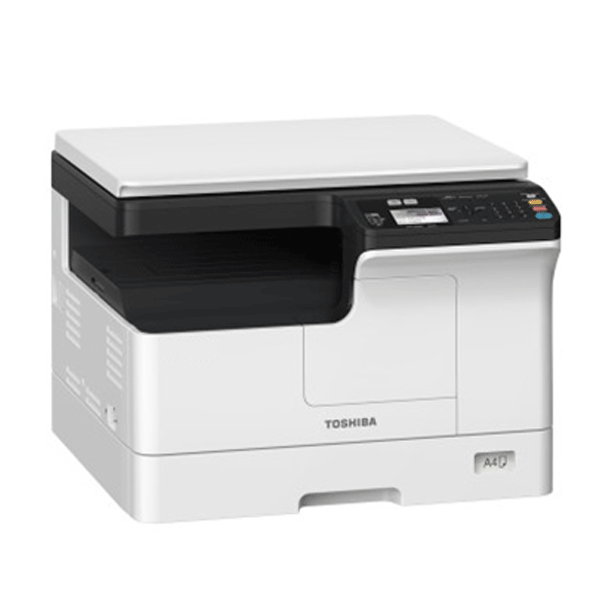
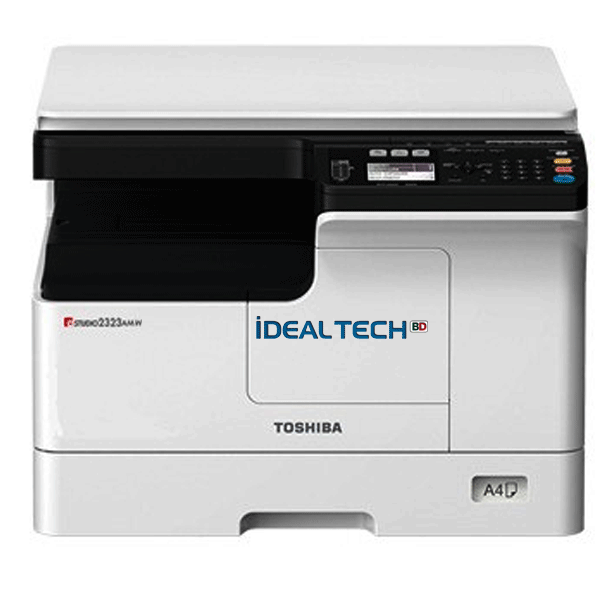
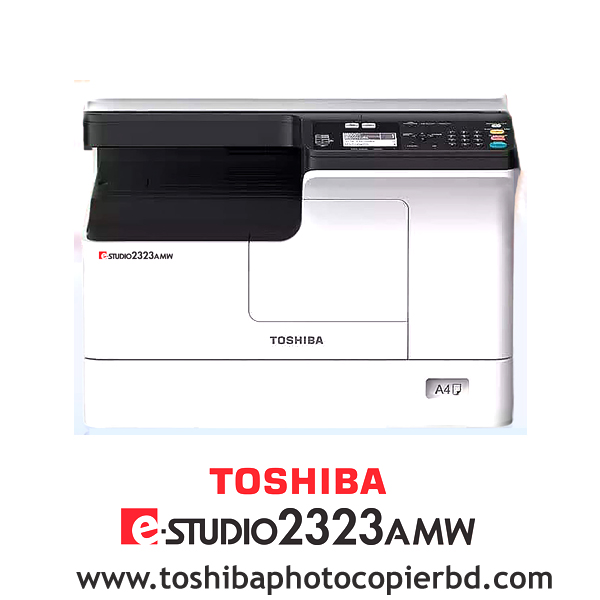
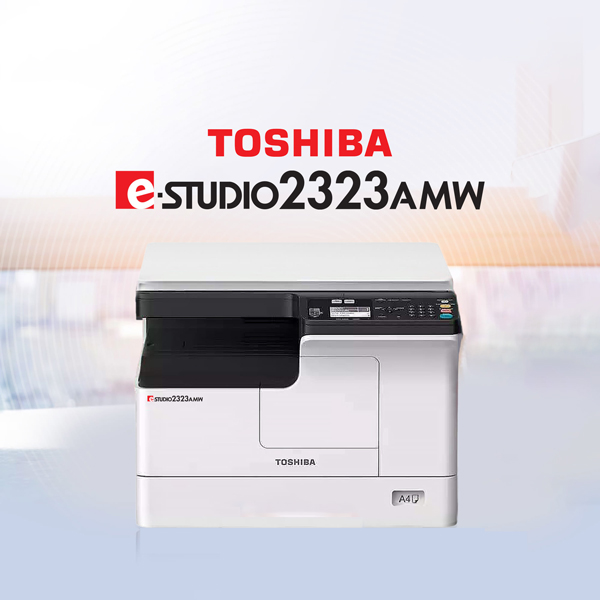
Toshiba e-Studio 2323AMW Photocopier (Duplex, Lan, Wi-Fi)
Brand:TOSHIBA
| Price | ৳ 58,000.00 |
| SKU | e-Studi0 2323AMW |
| Brand | Toshiba |
| Item | Photocopier Machines |
| Availability | In Stock |
| Last Edit Date | August 2026 |
| Warranty | 01-Year Service Warranty |
Key Features
- Function: A3 Copy, Print & Scan
- Copy/Print Speed: Up to 23 CPM/ppm
- Scanning: A3 Network Color Scanning
- Printing: A3 Black & White Network Printing
- RAM: 512MB, Processor: ARM9 500MHz
- Paper Capacity: Standard 1x 250 + 100 Sheet
- Interface: USB2.0,10/100 based, WiFi (Labeling)
58,000.00৳
In stock
Hotline & Support
+8801717146717 ( 09:00 AM - 07:00 PM )
+8801703344123 ( 24 Hours)
Description
| Brand | Toshiba |
| Model | e-Studio 2323AMW |
| Imaging Principle | Indirect Electrostatic Imaging |
| Warm-Up Time | About 15 seconds |
| Memory | 512MB RAM |
| Processor | ARM9 360MHz |
| Standard Interface | USB2.0, 10/100 based, Wi-Fi (Labeling) |
| Power Consumption | ≤1.5KW (220-240V) |
| Weight | About 26KG |
| First Copy Out Time | 6.4 seconds A4) |
| Continuous Copying | 1~ 999 Copies |
| Copying/Printing Speed | 23 Pages/minutes |
| Copy/ Print Resolution | 2,400 × 600dpi(Smooth processing) |
| Reproduction Ratio (Zoom) | 25-400%( in 1%) |
| Main Function of Copy | Copy of one-click ID card, 2-in-1, 4-in-1, edge elimination, image displacement, staggered pages, department code, 150-page continuous copying. |
| Printed Language | Mark GDI Network Printing |
| Operating System | Windows Server 2012/R2(64 bit), Windows Server 2016, Windows Server 2019(64 bit), Windows Server 2022(64 bit), Windows 10/11(64 bit), Galaxy Unicorn Desktop Operating System V10, Galaxy Unicorn Desktop Operating System V10SP1 Unified Desktop Operating Sys |
| Main Function of Print | N-in-one printing, water printing, neglect of blank pages, ink printing, staggered pages, etc. |
| Max. Scan Speed | Up to 25 pages/minute (need to purchase automatic Document Feeder) |
| Scanning Resolution | 600/400/300/200/150dpi |
| TWAIN Scan | Marking (Color) |
| Color Scan | Support |
| File Format | Black and white: TIFF (single page/multi-page ), PDF( single page/multi-page ) Ash degree: JPEG, TIFF( single page/multi-page ), PDF( single page/multi-page ) Full color: JPEG, TIFF( single page/multi-page ), PDF( single page/multi-page ) |
| Main Function of Scan | Black and white color scanning, scanning to USB, ignoring blank pages, background adjustment, 150 consecutive scanning |
| Maximum Paper Sizes | A5-R to A3 |
| Standard Input Paper Capacity | 350 Sheets (Tray: 250 pages + Bypass: 100 pages) |
| Available Paper Weight | Tray: 64-80g/m2 & Bypass: 52-216g/m2 |
| Standard Security | Department Code |
| Warranty | 01-Year Service Warranty (No Parts Warranty) |
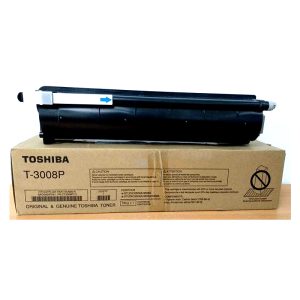
| Toner Cartridge | T-2323C |
Buy Toshiba e-Studio 2323AMW Duplex Wi-Fi Photocopier Machine Price in Bangladesh
Are you looking for a reliable and efficient photocopier?
This duplex Wi-Fi-enabled photocopier is a brilliant addition to any office setup. Its sleek design and advanced features offer seamless printing, scanning, and copying capabilities.
Toshiba e-STUDIO 2323AMW Digital Photocopier best price in Bangladesh 2026
With compact A3 systems with mono printing and copying capabilities and high-resolution color scanning, the e-STUDIO 2323AMW covers the basic needs of modern businesses. It offers a mono print speed of up to 23/28 pages per minute.
Intuitively designed devices that are easy to use and allow for seamless integration with your systems and workflows.
Designed to meet the highest environmental standards, both models help save valuable resources.
| General | ||
| Power Consumption | ≤1.5KW (220-240V) | |
| Weight | About 26KG | |
| Color | White | |
| Print Speed | Up to 23 PPM | |
| Warm-Up Time | About 15 seconds | |
| Resolution | 2,400 × 600dpi(Smooth processing) | |
| Duplex Printing | Yes | |
| Copy | ||
| Copy Speed | Up to 23 CPM | |
| First-Copy-Out Time | Less than 6.4 seconds A4) | |
| Resolution | 600 x 600 dpi, 1200 x 1200 dpi (PS) | |
| Scan | ||
| Resolution | 600/400/300/200/150dpi | |
| Paper Handling | ||
| Paper Size | A5-R to A3 | |
| Paper Weight | Tray: 64-80g/m2 & Bypass: 52-216g/m2 | |
| Maximum Number of Copies | 350 Sheets | |
| Connectivity | ||
| LAN | Yes | |
| Wi-Fi | Yes | |
| USB | USB 2.0 | |
| Refill Supplies | ||
| Toner | T-2323C (Please make sure your existing & mentioned toner/cartridge/ink bottle models are the same before buying a new one) | |
| Warranty | ||
| Warranty | 01 01-year service Warranty (No Parts Warranty) | |
Toshiba E-Studio 2323AMW Copier Machine Quick Overview & Features
- Model: e-Studio 2323AMW
- Function: A3 Copy, Print & Scan
- Copy/Print Speed: Up to 23 CPM/ppm
- Scanning: A3 Network Color Scanning
- Printing: A3 Black & White Network Printing
- RAM: 512MB, Processor: ARM9 500MHz
- Paper Capacity: Standard 1x 250 + 100 Sheet
- Interface: USB2.0,10/100 based, WiFi (Labeling)
Toshiba e-Studio 2323AMW & 2323AMS Printer & Scanner Driver
Toshiba e-STUDIO 2323AMW – Complete Product FAQ
1. What functions does the Toshiba e-STUDIO 2323AMW offer?
It is a multifunction A3 monochrome machine that supports Printing, Copying, Color Scanning, and Network Printing.
2. Is it a color printer?
No. It is a monochrome (Black & White) printer and copier. However, it supports full-color document scanning.
3. What is the print speed?
Up to 23 pages per minute (A4).
4. What is the copy speed?
Up to 23 copies per minute (A4).
5. How long does it take to warm up?
Approximately 15 seconds.
6. What is the first copy out time?
Approximately 6.4 seconds (A4).
7. What is the print resolution?
Up to 2400 × 600 dpi with smoothing technology.
8. What is the copy resolution?
Scan: 600 × 600 dpi
Print: Up to 2400 × 600 dpi (Smooth Processing)
9. How much RAM does the machine have?
512 MB RAM.
10. Which processor does it use?
ARM9 360 MHz Processor.
11. What are the connectivity options?
- USB 2.0
- 10/100 Base-T Ethernet
- Wi-Fi (Built-in on the AMW model)
12. Does it support network printing?
Yes. It supports USB, LAN, and Wi-Fi network printing.
13. Does it support duplex (double-sided) printing?
Yes. Automatic duplex printing is supported on the e-STUDIO 2323AMW.
14. What paper sizes are supported?
A5-R to A3.
15. What is the paper input capacity?
Standard:
- 250-sheet Paper Tray
- 100-sheet Bypass Tray
Total Standard Capacity: 350 Sheets.
16. What paper weight is supported?
Tray: 64–80 g/m²
Bypass Tray: 52–216 g/m²
17. How many copies can be made at one time?
1–999 copies.
18. What is the copy zoom range?
25%–400% in 1% increments.
19. What copy features are included?
- ID Card Copy
- 2-in-1 Copy
- 4-in-1 Copy
- Edge Erase
- Image Shift
- Electronic Sorting
- Department Code
- Continuous Copying
20. Does it support color scanning?
Yes. It supports Color, Grayscale, and Black & White scanning.
21. What is the maximum scan resolution?
Up to 600 dpi.
22. What is the maximum scan speed?
Up to 25 pages per minute with the optional Automatic Document Feeder (ADF).
23. Which scan file formats are supported?
- TIFF
- JPEG
- Multi-page PDF
- Multi-page TIFF
24. Does it support TWAIN scanning?
Yes.
25. Can documents be scanned directly to a USB drive?
Yes.
26. What operating systems are officially supported?
Supported operating systems include:
- Windows 10 (64-bit)
- Windows 11 (64-bit)
- Windows Server 2012 R2
- Windows Server 2016
- Windows Server 2019
- Windows Server 2022
- Selected regional desktop operating systems (Galaxy Kirin/Unicorn, Tongxin UOS depending on firmware)
27. Does it support macOS (Apple Mac)?
No official macOS driver is listed for the standard driver package. macOS compatibility is not officially supported for this model.
28. Does it support Linux?
No official Linux driver is provided for the standard driver package. Linux is not officially supported.
29. Does it support Apple AirPrint?
No. Apple AirPrint is not listed as a supported feature.
30. Can I print directly from an iPhone or iPad?
Native iPhone/iPad printing through Apple AirPrint is not officially supported.
31. Can I print from an Android phone?
Android printing may work through compatible print services or applications when the printer is connected to the same network, but native Android print support is not officially specified.
32. What print language does it use?
GDI (Graphic Device Interface).
33. What print features are included?
- N-up Printing
- Watermark Printing
- Blank Page Skip
- Toner Save Mode
- Print from USB
- Multiple Pages per Sheet
34. What security features are available?
- Department Code (up to 100 codes)
- IP Address Filtering
- MAC Address Filtering
35. Which toner cartridge does it use?
Toshiba T-2323C Toner Cartridge.
36. What is the maximum power consumption?
≤1.5 kW (220–240V).
37. What is the machine weight?
Approximately 26–27 kg.
38. What warranty is included?
1-Year Service Warranty.
Parts are not included in the warranty.
39. Is this printer suitable for office use?
Yes. It is designed for small and medium businesses, schools, offices, and organizations that require reliable A3 monochrome printing, copying, and color scanning.
40. Who should buy the Toshiba e-STUDIO 2323AMW?
This printer is ideal for:
- Offices
- Educational Institutions
- Government Organizations
- Corporate Workgroups
- Copy Centers
- Businesses requiring A3 monochrome printing with network and Wi-Fi connectivity.
What is the price of Toshiba e-Studio 2323AMW Photocopier Price in Bangladesh?
The latest price of Toshiba e-Studio 2323AMW Photocopier Price in Bangladesh is ৳ 53,500.00. You can buy the Toshiba e-Studio 2323AMW at the best price from Ideal Technology Toshiba Brand Shop, Bangladesh.
Brand
TOSHIBA
Toshiba Copiers Brand Store & Service Center In Bangladesh
Are you in need of high-quality copiers for your business in Bangladesh? Look no further than the Toshiba Copiers Brand Store & Service Center in Bangladesh, operated by Ideal Technology BD. With a reputation for excellence and a commitment to customer satisfaction, Ideal Technology BD is the go-to destination for all your copier needs in Bangladesh.Why Choose Toshiba Copiers?
When it comes to office equipment, Toshiba is a brand that stands out for its superior quality and reliability. Toshiba copiers are known for their cutting-edge technology, user-friendly interface, and exceptional performance. Whether you need a copier for basic printing and scanning tasks or a high-volume multifunction device for your busy office, Toshiba has a solution to meet your needs.Experience Excellence at Ideal Technology BD
We are service provider for Toshiba copiers in Bangladesh. With years of experience in the industry, their team of expert technicians is dedicated to providing top-notch service and support to all customers. From helping you select the right copier for your business to ensuring smooth installation and maintenance, Ideal Technology BD is committed to exceeding your expectations. At Ideal Technology BD, customer satisfaction is the top priority. Their knowledgeable staff is always on hand to answer any questions you may have and provide personalized assistance to ensure you get the most out of your Toshiba copier. Ideal Technology BD has the expertise and resources to meet your copier needs, whether you are a small business or a large corporation.Services Offered
We offers a wide range of services to ensure that your Toshiba copier operates at peak performance. These services include:- Sales: Ideal Technology BD carries a wide selection of Toshiba copiers to suit every budget and requirement.
- Installation: Their team of expert technicians will ensure that your copier is installed correctly and ready for use.
- Maintenance: Regular maintenance is essential to prolonging the lifespan of your copier, and Ideal Technology BD offers comprehensive maintenance plans to keep your device running smoothly.
- Repairs: If your copier encounters any issues, their skilled technicians are available to diagnose and repair the problem quickly and efficiently.
Contact Ideal Technology BD Today
Don't settle for anything less than the best when it comes to your office equipment. Contact Ideal Technology BD today to learn more about their range of Toshiba copiers and services. Experience the excellence and reliability that Toshiba is known for, and see how Ideal Technology BD can help take your business to the next level.
Are you in need of high-quality copiers for your business in Bangladesh? Look no further than the Toshiba Copiers Brand Store & Service Center in Bangladesh, operated by Ideal Technology BD. With a reputation for excellence and a commitment to customer satisfaction, Ideal Technology BD is the go-to destination for all your copier needs in Bangladesh.
Why Choose Toshiba Copiers?
When it comes to office equipment, Toshiba is a brand that stands out for its superior quality and reliability. Toshiba copiers are known for their cutting-edge technology, user-friendly interface, and exceptional performance. Whether you need a copier for basic printing and scanning tasks or a high-volume multifunction device for your busy office, Toshiba has a solution to meet your needs.Services Offered
Ideal Technology BD offers a wide range of services to ensure that your Toshiba copier operates at peak performance. These services include:- Sales: Ideal Technology BD carries a wide selection of Toshiba copiers to suit every budget and requirement.
- Installation: Their team of expert technicians will ensure that your copier is installed correctly and ready for use.
- Maintenance: Regular maintenance is essential to prolonging the lifespan of your copier, and Ideal Technology BD offers comprehensive maintenance plans to keep your device running smoothly.
- Repairs: If your copier encounters any issues, their skilled technicians are available to diagnose and repair the problem quickly and efficiently.
Disclaimer
Availability: Stock availability is subject to change.
Please confirm availability before shopping by calling us.
Image: The product image is for illustration purposes only. The actual
product may vary in size, color, and layout. No claim will be
accepted for an image mismatch.
Product Price: "Toshiba Photocopier BD (Ideal Technology)" can change the price of any product at any
moment due to the volatile price of the technology.
Information: We cannot guarantee that the information on this page is 100%
correct. "Toshiba Photocopier BD (Ideal Technology)" is not responsible for the results
obtained from the use of this information.
Help: +8801717146717 or 01703344123
Reviews
Related products
Sold out
Sold out
Sold out
Sold out
Sold out
Sold out
Md Ashraful Islam –
Toshiba e-Studio 2323AMW Duplex Wi-FI Photocopier Machine