
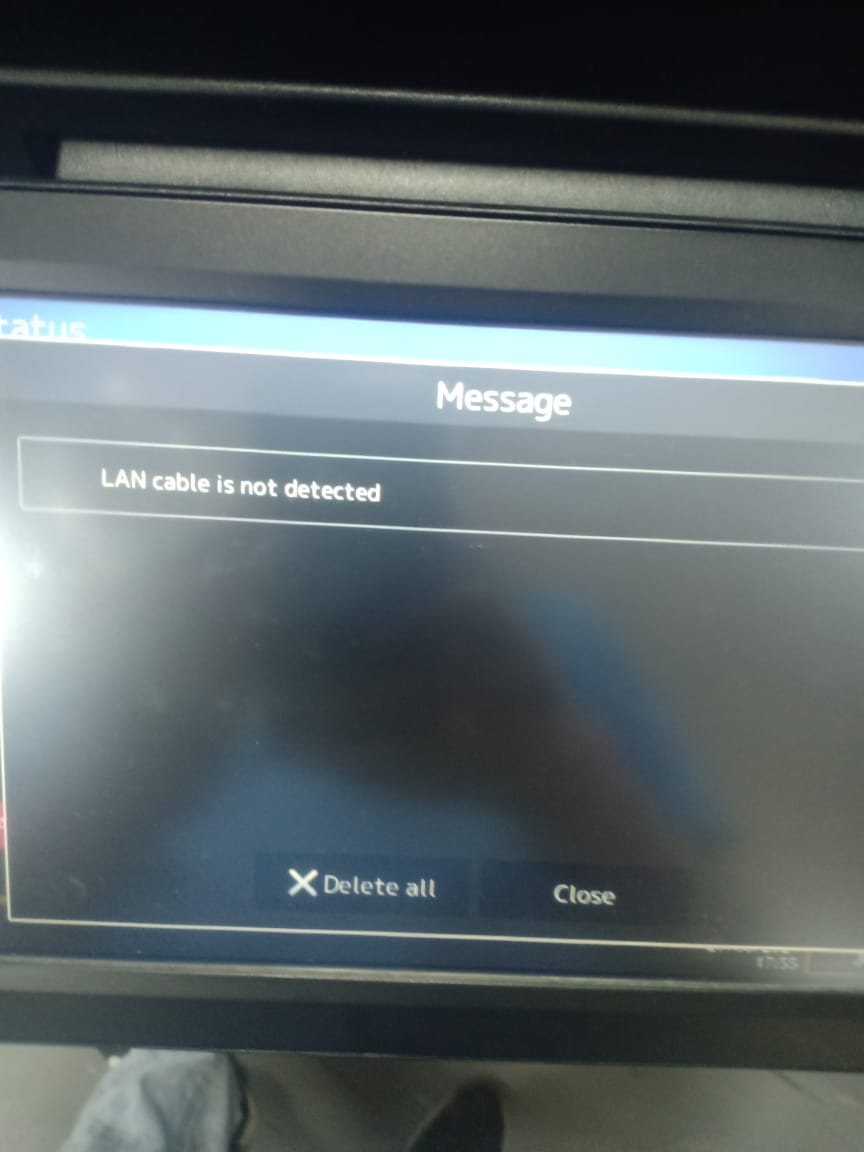
LAN CABLE IS NOT DETECTED - TOSHIBA E-STUDIO 2020AC/4528A/5525AC/2528A/3025AC/3028A

LAN CABLE IS NOT DETECTED – TOSHIBA E-STUDIO 2020AC/4528A/5525AC/2528A/3025AC/3028A

LAN CABLE IS NOT DETECTED – TOSHIBA E-STUDIO 2020AC/4528A/5525AC/2528A/3025AC/3028A

.

LAN Cable is Not Detected – Toshiba e-Studio Copier

When you encounter issues with your Toshiba e-Studio and find that the LAN cable is not being detected, it can be a frustrating experience. However, there are steps you can take to troubleshoot and resolve this issue without having to bring your device to a service center. In this article, we will discuss some common reasons why your LAN cable may not be detected and provide some tips on how to fix the problem.

Toshiba e-Studio Service Center in Bangladesh

If you are located in Bangladesh and are in need of service or support for your Toshiba e-Studio, Ideal Technology BD is here to help. With their expertise and experience in dealing with Toshiba devices, you can trust that your printer will be in good hands. Whether it’s a LAN cable issue or any other problem, Ideal Technology BD can provide you with the solutions you need to get your device up and running smoothly again.

Possible Reasons for LAN Cable Not Being Detected

There are several reasons why your LAN cable may not be detected by your Toshiba e-Studio. Some common causes include:

  1. Faulty LAN Cable: The most obvious reason for this issue could be a faulty LAN cable. Try swapping out the cable with a known working one to see if that resolves the problem.
  2. Loose Connection: Check to make sure that the LAN cable is securely plugged into both the printer and the network port. A loose connection can cause the cable to not be detected.
  3. Network Configuration Issue: Sometimes, the issue may not be with the LAN cable itself but with the network configuration settings on your Toshiba e-Studio. Double-check your network settings to ensure everything is set up correctly.
  4. Driver Problems: Outdated or corrupted printer drivers can also cause issues with detecting the LAN cable. Make sure your drivers are up to date and functioning properly.

How to Resolve the Issue

If you have determined that the LAN cable is not being detected on your Toshiba e-Studio, here are some steps you can take to try and resolve the problem:

  1. Check the Cable: Start by checking the LAN cable for any visible damage or signs of wear. If the cable appears to be in good condition, try using a different cable to see if the issue persists.
  2. Secure Connections: Ensure that the LAN cable is securely plugged into both the printer and the network port. Wiggle the cable slightly to make sure it is not loose.
  3. Restart the Printer: Sometimes, a simple restart of the printer can help in resolving connectivity issues. Turn off the printer, wait a few seconds, and then turn it back on.
  4. Update Drivers: If you suspect that outdated drivers may be the cause of the issue, visit the Toshiba website to download and install the latest drivers for your e-Studio model.
    By following these troubleshooting steps, you can hopefully resolve the issue of the LAN cable not being detected on your Toshiba e-Studio.
    In conclusion, dealing with a LAN cable that is not detected on your Toshiba e-Studio can be a frustrating experience. However, with the right troubleshooting steps and assistance from experts at Ideal Technology BD, you can get your device back up and running smoothly in no time. Don’t let connectivity issues slow you down – take action to resolve the problem and get back to printing efficiently.
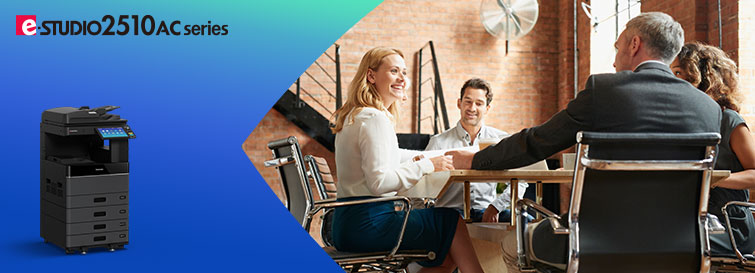
The e-STUDIO2010AC/2510AC comprises an A3/LD-size color MFP series that offers print speeds of 20/25 ppm. For group projects, for business and for those who need color print function, we are here to assist you. The series incorporates with industry-leading technology and innovations that are designed to help small groups of people stay connect and simple.

e-STUDIO2010AC/2510AC

The e-STUDIO2010AC/2510AC comprises an A3/LD-size color MFP series that offers print speeds of 20/25 ppm. For group projects, for business, and for those who need a color print function, we are here to assist you. The series incorporates industry-leading technology and innovations that are designed to help small groups of people stay connected and simple.​

Specifications

Modele-STUDIO2010ACe-STUDIO2510AC
General Feature
Copy / Print Speed (ppm)Color2025
B & W2025
Warm-up TimeApprox. 21 sec.
MemoryStd. 2 GB/ Expandability: Max 4 GB
Storage320GB Self-Encryption HDD
Dimension (W × D × H)575 × 586* × 662 mm / 22.6″ × 23″* × 26.1″
WeightLess than 57 kg / 125.7 lbs
Input Paper CapacityStandard350 sheets
Maximum2,900 sheets
Available Paper Weight60 – 209 g/m² / 16 lb. Bond – 110 lb. Index
Available Paper size100 × 148 to A3 / 100 × 148 to LD
Document feederOptional 100-sheet RADF
Finishing OptionSaddle Stitching Finisher, Inner Finisher, Job Separator
Copier Feature
First Copy SpeedColorLess than 9.5 sec.
B & WLess than 7.1 sec.
ResolutionUp to 73 ppm (300 dpi)
Multiple CopyUp to 999
Printer Feature
Resolution600 x 600 dpi, 5bit
PDLPCL6 Emulation, PS3 Emulation, XPS
InterfaceStandardUSB (High speed), 10/100/1000BASE-T
OptionWireless LAN (IEEE802.11 b/g/n), Bluetooth
Scanner Feature
Resolution100/150/200/300/400/600 dpi
Max. Scan SpeedSelf-encryption HDD with Wipe technology, TLS, Private Print, Encrypted print, Tracking Print, Encrypted PDF, User Authentication, Role Based Access Control, IP/MAC Address filtering, SNMPv3, 802.1X for Wired/Wireless, Fax secure receiving, Fax missending prevention, Security event logging, Password Policy, Integrity Check, HCD-PP
Data formatStandardTIFF, PDF, XPS, JPEG, Slim PDF, PDF/A
OptionDOCX, EXLS, PPTX, Searchable PDF
Scan ProtocolSMB, FTP, IPX/SPX, FTPS, USB, Netware
Scan featuresFile, Email, USB, e-Filing Box, TWAIN, Local HDD, Share Point, iFax, Fax, WS scan 
Internet FaxITU-T T.37 (Simple mode)
Fax Feature (option)
Communication mode / Modem SpeedSuper G3 / 33.6kbps – 2.4 kbps
Data CompressionJBIG, MMR, MR, MH
Number of Lines (Std. / Max.)1 / 2
Phonebook3,000 stations
Security Feature
StandardSelf-encryption HDD with Wipe technology, TLS, Private Print, Encrypted print, Tracking Print, Encrypted PDF, User Authentication, Role Based Access Control, IP/MAC Address filtering, SNMPv3, 802.1X for Wired/Wireless, Fax secure receiving, Fax mis-sending prevention, Security event logging, Password Policy, Integrity Check, HCD-PP
OptionalCard authentication, NFC authentication, Data Overwrite, IPsec, Hardcopy Security Printing, FIPS Certified Self-encryption HDD with Wipe technology

* Depth is different depending on the angle of the control panel.
**Specifications and availability of models and options vary by region.

e-STUDIO2010AC/2510AC Repair Service in Bangladesh

Contact US: +8801717146717

e-STUDIO2010AC/2510AC Repair Service in Bangladesh: Trust Ideal Technology BD for Expert Solutions

Are you facing issues with your e-STUDIO2010AC/2510AC printer in Bangladesh? With years of experience and a team of skilled technicians, we are your go-to solution for all your printer repair needs.

Why Choose Ideal Technology BD for Printer Repairs in Bangladesh?

At Ideal Technology BD, we have a team of highly trained technicians who specialize in repairing e-STUDIO2010AC/2510AC printers. Our technicians are well-versed in the intricacies of these printers, ensuring efficient and effective repairs every time.
We understand the importance of having a functioning printer in your workspace, which is why we strive to provide quick turnaround times for all repairs. You can trust us to get your e-STUDIO2010AC/2510AC printer up and running in no time.

Assessment: Our technicians will thoroughly assess your printer to determine the root cause of the issue.

  1. Repair: Once the issue has been identified, we will proceed with the necessary repairs using high-quality parts.
  2. Testing: Before returning your printer to you, we will conduct rigorous testing to ensure that it is functioning perfectly.
  3. Delivery: We will deliver your repaired printer to your doorstep, saving you time and hassle.
Brand Toshiba  Part No MD-0106 Items Auto Duplex Unit Supported Machines Toshiba Auto Duplex Unit MD-0106 Use for Toshiba e-Studio 2006, 2306, 2506, 2007, 2307, 2507, 2303A, 2803A, 2303AM, 2803AM and 2523A Photocopiers Conditions Reconditions (Imported Product) Warranty No  Warranty

Toshiba Photocopier Accessories Price in Bangladesh

Ideal Technology BD wide range of accessories available, we ensure that your Toshiba photocopier functions at its best.

    1. Toshiba Drum Units
    • Toshiba PU-2809 Drum Unit: BDT 11,500
    • Toshiba PU-4530 Drum Unit: BDT 29,500
    1. Toshiba Fuser Units
    • Toshiba Fuser Unit:
    • Toshiba Fuser Unit:

    Toshiba Photocopier Accessories Price in Bangladesh

    Are you in search of high-quality Toshiba photocopier accessories at competitive prices in Bangladesh? Look no further than Ideal Technology BD! With a wide range of accessories available, we ensure that your Toshiba photocopier functions at its best. In this article, we will discuss the various Toshiba photocopier accessories available in Bangladesh and their prices.

    Search products
    Back to Top
    Product has been added to your cart