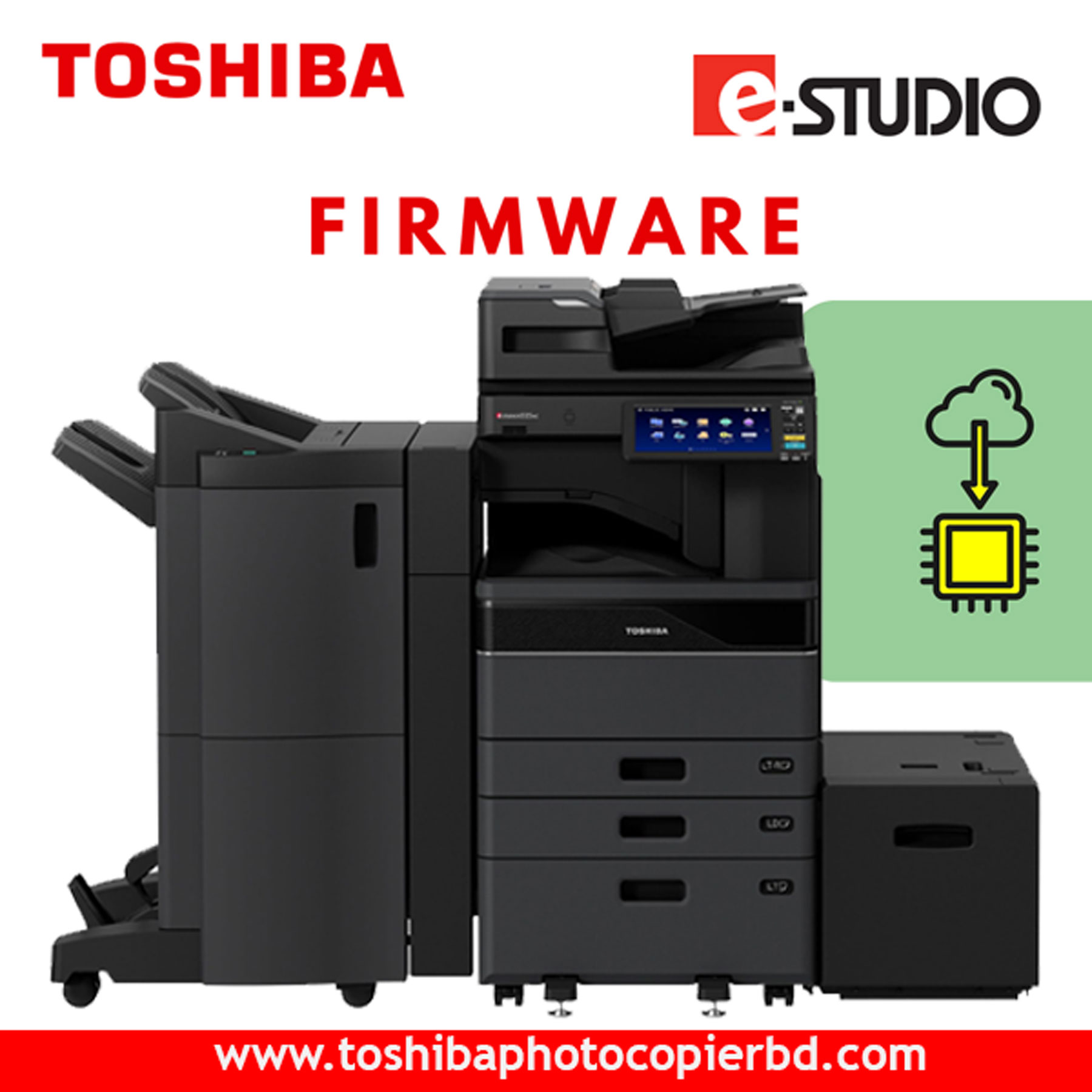
Toshiba 2528A-3028A-4528A Firmware Driver Download: Ensure Optimal Performance Are you facing issues with your Toshiba 2528A, 3028A, or 4528A printer? Is it not performing at its best? Don't worry, as we have the solution for you! By downloading the latest firmware drivers for your Toshiba printer, you can ensure optimal performance and smooth functioning. In this article, we will guide you on how to download the firmware drivers for your Toshiba printer, why it's essential to keep them updated, and how it can benefit you in the long run. Why Downloading Firmware Drivers is Important Firmware drivers are crucial for the proper functioning of any hardware device, including printers. They act as the communication bridge between the hardware and the software, ensuring that your printer operates smoothly and efficiently. By downloading and installing the latest firmware drivers for your Toshiba 2528A, 3028A, or 4528A printer, you can: Enhance the printer's performance and speed Fix bugs and glitches Improve compatibility with various operating systems Enhance security features Access new features and functionalities How to Download Toshiba 2528A-3028A-4528A Firmware Drivers Downloading the firmware drivers for your Toshiba printer is a simple and straightforward process. Here's how you can do it: Visit the official Toshiba website. Navigate to the support section and search for your printer model. Locate the firmware drivers for your specific printer model. Click on the download button to save the firmware drivers to your computer. Follow the on-screen instructions to install the firmware drivers on your printer. By following these steps, you can ensure that your Toshiba printer is running on the latest firmware, thus maximizing its performance and efficiency. Benefits of Updating Firmware Drivers Regularly Regularly updating the firmware drivers of your Toshiba printer brings numerous benefits, including: Improved performance and speed Enhanced reliability and stability Better print quality Increased security and protection against vulnerabilities Compatibility with the latest software updates By staying up to date with the latest firmware drivers, you can extend the lifespan of your Toshiba printer and ensure that it continues to deliver high-quality prints for years to come. Conclusion In conclusion, downloading and updating the firmware drivers for your Toshiba 2528A, 3028A, or 4528A printer is crucial for maintaining optimal performance and functionality. By following the simple steps outlined in this article, you can ensure that your printer operates at its best and meets all your printing needs. So, don't wait any longer – download the latest firmware drivers for your Toshiba printer today and enjoy hassle-free printing!

Toshiba 2528A-3028A-4528A Firmware Driver download

Toshiba 2528A-3028A-4528A Firmware Driver Download: Ensure Optimal Performance

Are you facing issues with your Toshiba 2528A, 3028A, or 4528A printer? Is it not performing at its best? Don’t worry, as we have the solution for you! By downloading the latest firmware drivers for your Toshiba printer, you can ensure optimal performance and smooth functioning. In this article, we will guide you on how to download the firmware drivers for your Toshiba printer, why it’s essential to keep them updated, and how it can benefit you in the long run.

Why Downloading Firmware Drivers is Important

Firmware drivers are crucial for the proper functioning of any hardware device, including printers. They act as the communication bridge between the hardware and the software, ensuring that your printer operates smoothly and efficiently. By downloading and installing the latest firmware drivers for your Toshiba 2528A, 3028A, or 4528A printer, you can:

  • Enhance the printer’s performance and speed
  • Fix bugs and glitches
  • Improve compatibility with various operating systems
  • Enhance security features
  • Access new features and functionalities

How to Download Toshiba 2528A-3028A-4528A Firmware Drivers

Downloading the firmware drivers for your Toshiba printer is a simple and straightforward process. Here’s how you can do it:

  1. Visit the official Toshiba website.
  2. Navigate to the support section and search for your printer model.
  3. Locate the firmware drivers for your specific printer model.
  4. Click on the download button to save the firmware drivers to your computer.
  5. Follow the on-screen instructions to install the firmware drivers on your printer.
    By following these steps, you can ensure that your Toshiba printer is running on the latest firmware, thus maximizing its performance and efficiency.

Benefits of Updating Firmware Drivers Regularly

Regularly updating the firmware drivers of your Toshiba printer brings numerous benefits, including:

  • Improved performance and speed
  • Enhanced reliability and stability
  • Better print quality
  • Increased security and protection against vulnerabilities
  • Compatibility with the latest software updates
    By staying up to date with the latest firmware drivers, you can extend the lifespan of your Toshiba printer and ensure that it continues to deliver high-quality prints for years to come.

Conclusion

In conclusion, downloading and updating the firmware drivers for your Toshiba 2528A, 3028A, or 4528A printer is crucial for maintaining optimal performance and functionality. By following the simple steps outlined in this article, you can ensure that your printer operates at its best and meets all your printing needs. So, don’t wait any longer – download the latest firmware drivers for your Toshiba printer today and enjoy hassle-free printing!

Buy Toshiba e-Studio 2528A/3028A/3528A/4528A/6528A/7528A/5528A/2020AC/2520AC/2525AC/3025AC/4525AC/6525AC Copiers Firmware Download Now.

Call : +8801717146717 (Whatsapp, Wechat)
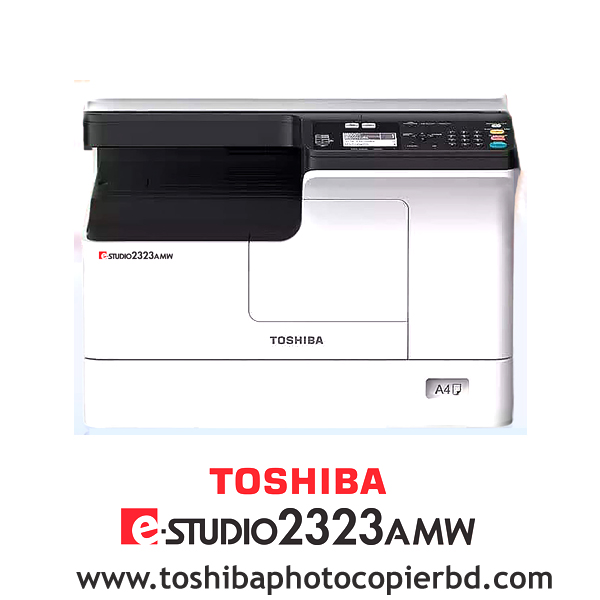
Toshiba e-Studio 2323AMW Multifunctional Copier Machine

ব‍্যবসায়ীদের জন‍্য নতুন মেশিন ফটোকপি মেশিন তোশিবা 2323AMW

আপনি কি নতুন ফটোকপি ব‍্যবসার কথা চিন্তা করছেন? যদি এমনটা হয়ে থাকে তাহলে সবার প্রথমে নিশ্চয়ই আপনার একটি ফটোকপি মেশিনের দরকার পড়বে। এখন বাজারে থাকা এতো এতো ব‍্র‍্যান্ডের ফটোকপি মেশিনের মধ‍্যে দামে কম, মানে ভালো ফটোকপি মেশিন খুঁজে পাওয়া সত‍্যিই বেশ দুষ্কর। কিন্তু আজকের আলোচনার পর আপনাকে আর এ নিয়ে ভাবতে হবেনা কেননা আজকের আলোচনায় আমরা এমন একটি ফটোকপি মেশিন নিয়ে আলোচনা করবো যা দামে তো কমই আর মানের দিক থেকে বাজারের অন‍্যান‍্য সব ফটোকপি মেশিনের থেকে সেরা। আর মেশিনটির নাম হচ্ছে তোশিবা 2323AMW ফটোকপি মেশিন। চলুন তাহলে শুরু করা যাক।

তোশিবা 2323AMW ফটোকপি মেশিনের প্রয়োজনীয়তা এবং গুরুত্বপূর্ণ দিক

তোশিবা 2323AMW ফটোকপি মেশিনটিতে রয়েছে স্ক‍্যান এবং কপি ফাংশন যা এক টাচে সিঙ্গেল কপি করতে সক্ষম। অর্থাৎ এটি দিয়ে আপনাকে প্রথম পাতার অনুলিপি করতে সময় লাগবে মাত্র ৬.৪ সেকেন্ডের ও কম। এছাড়াও আপনি এটিকে ইউএসবি দিয়ে পিসি এবং মোবাইলের সাথে কানেক্ট করতে পারেন। ছোট অফিস থেকে শুরু করে ছোটখাটো কম্পিউটার এর দোকানের ব‍্যবসার জন‍্যে এ ধরনের মেশিন খুবই উপযোগী।

  • মাল্টিফাংশনাল সুবিধা 

এই মেশিনটিতে আপনি একইসাথে পেয়ে যাচ্ছেন প্রিন্ট, কপি ও স্ক‍্যানার। প্লেন পেপার বাদ দিয়েও আপনি এটি দিয়ে আইডি কার্ড কপি, ইন্টারনেট নেটওয়ার্কের মাধ‍্যমেই প্রিন্ট ও স্ক‍্যানার করা যায় অল্প সময়ের মধ‍্যেই। এই ফটোকপিয়ারের টোনারের স্থায়িত্ব কাল অন‍্যদের থেকে বেশি এবং পুনরায় ব‍্যবহার করা যাবে।

কপি ফাংশন

এই ফাংশনটির মাধ‍্যমে আপনি সহজেই ডাটা সংরক্ষণ করতে পারবেন। এর জন‍্যে সবার প্রথমে প্রয়োজন হবে স্টোরেজের। মেশিনটির স্টোরেজ ক্ষমতা ২৫৬ মেগাবাইট, যার মাধ্যমে আপনি ব‍্যক্তিগত ফাইল বা ডেটা কপি করে সংরক্ষণ করে রাখতে পারবেন। এছাড়াও তথ‍্যের নিরাপত্তার জন‍্যে থাকছে বিশেষ কোড ব‍্যবহারের সুবিধা।

  • স্ক‍্যানিং ফাংশন

এখানে পাচ্ছেন বিশেষ সুবিধাযুক্ত স্ক‍্যান ফাংশন। এর ফলে আপনার যদি কোন বই বা নথিপত্র প্রিন্ট করতে হয় সেটিও আপনি এর মাধ্যমে করতে পারবেন।

প্রিন্ট ফাংশন

তোশিবা ই-স্টুডিও 2323AMW প্রতি মিনিটে ২৫ পৃষ্ঠা পযর্ন্ত কপি করতে সক্ষম। সেই সাথে এখানে আপনি A3 আকারের কাগজ কপিসহ, ১০০×১৪৮ মিমি ছোট কাগজ, ২১৬ g/m² পুরুত্বের কাগজ কভার প্রিন্ট করতে পারবেন। এছাড়াও এটি PDL, GDI, ডেটা ফরম্যাট যা TIFF, PDF, JPG ফাইল কপি ফর্মেটের ডেটা ফাইল প্রিন্ট করতে সক্ষম। এসব প্রিন্টের আউটপুট রেজ‍্যুলেশন ২৪০০×৬০০ dpi এবং ক্ষমতা ২৫%-৪০০% পযর্ন্ত।

ক‍্যাপাসিটি

আপনি এই মেশিন দিয়ে প্রতি মাসে গড়ে প্রায় ৫০,০০০ পেজ প্রিন্ট করতে পারবেন। অর্থাৎ এর ১ দিনে সর্বোচ্চ ১৫০০+ পেজ প্রিন্ট করার ক্যাপাসিটি রয়েছে। তবে খেয়াল রাখবেন, এটি দিয়ে কোন ভাবেই একসাথে ২০০+ পেজ এর বেশি প্রিন্টিং এ দেওয়া না হয়।

  • তোশিবা মেশিনের টোনার

এটিতে টোনার হিসেবে ব্যবহৃত হয়েছে তোশিবা ব্র্যান্ডের T-2323C মডেল টোনার। বিশেষত, তোশিবার ১টি টোনার দিয়েই ১২,০০০ পেজে পর্যন্ত প্রিন্ট করা সম্ভব। আর তাছাড়াও এই টোনারের কালির কোয়ালিটি অনেক ভালো এবং টোনারের তুলনা মূলকভাবে কম ফলে প্রতি পেজ পিন্ট করতে আপনার খরচ ও কম হবে।

শেষ কথা

বাংলাদেশে তোশিবা 2323AMW ফটোকপি মেশিন এর দাম অন্যান্য ব্র্যান্ডের তুলনায় তুলনামূলকভাবে কম আর এর বাজারমূল‍্য এখন  ৬০-৬৫ হাজার এর কাছাকাছি। যদিওবা এই ধরনের মেশিন দিয়ে আপনি কেবল একবারে একপাশ কপি করতে পারবেন কিন্তু এটি ছোট অফিসের ও দোকানের জন্য খুবই উপযোগী।

Requirements and important aspects of Toshiba 2323AMW photocopy machine

The Toshiba 2323AMW photocopy machine has scan and copy functions capable of making single copies with one touch. That means it will take you less than 6.4 seconds to copy the first page. You can also connect it to PC and mobile via USB. This type of machine is very useful for businesses ranging from small offices to small computer shops.

Who is Md Ashraful Islam? Md Ashraful Islam is a highly skilled technician who specializes in servicing Toshiba colour photocopiers. With a keen eye for detail and a passion for technology, he has honed his craft over the years to become a trusted expert in the industry. Whether you need routine maintenance, repairs, or troubleshooting, Md Ashraful Islam has the knowledge and skills to get the job done right.

Toshiba Colour Photocopier Service Engineer: Expert

Toshiba Colour Photocopier Service Technician: Expert

Ashraful Toshiba #idealtechbd

When it comes to ensuring the smooth operation of your Toshiba colour photocopier, having a reliable service technician is essential. Md Ashraful Islam is an expert in the field, with years of experience and a reputation for providing top-notch service. With his expertise, authority, and trustworthiness, you can rest assured that your photocopier is in good hands.

Who is Md Ashraful Islam?

Md Ashraful Islam is a highly skilled technician who specializes in servicing Toshiba colour photocopiers. With a keen eye for detail and a passion for technology, he has honed his craft over the years to become a trusted expert in the industry. Whether you need routine maintenance, repairs, or troubleshooting, Md Ashraful Islam has the knowledge and skills to get the job done right.

What sets Md Ashraful Islam apart?

As an expert Toshiba colour photocopier service technician, Md Ashraful Islam stands out for his unwavering commitment to excellence. He goes above and beyond to ensure that each client receives personalized attention and tailored solutions to meet their unique needs. With a friendly and approachable demeanor, Md Ashraful Islam makes the service process easy and stress-free for all his clients.

Why choose Md Ashraful Islam for your photocopier needs?

When you choose Md Ashraful Islam for your Toshiba colour photocopier service needs, you can expect nothing but the best. His expertise in the field allows him to quickly diagnose and address any issues with your photocopier, minimizing downtime and maximizing efficiency. Additionally, Md Ashraful Islam uses only genuine Toshiba parts and follows manufacturer-recommended procedures to ensure the longevity of your equipment.

The benefits of working with an expert like Md Ashraful Islam

  • Quick and efficient service to minimize downtime
  • Personalized attention and tailored solutions
  • Use of genuine Toshiba parts for optimal performance
  • Follows manufacturer-recommended procedures for long-term durability

Conclusion

In conclusion, Md Ashraful Islam is the go-to expert for all your Toshiba colour photocopier service needs. With his expertise, authority, and trustworthiness, you can have peace of mind knowing that your photocopier is in the hands of a true professional. Don’t settle for anything less than the best – choose Md Ashraful Islam for all your photocopier service needs!

Call Mr. Ashraful Islam 01717146717

Search products
Back to Top
Product has been added to your cart