
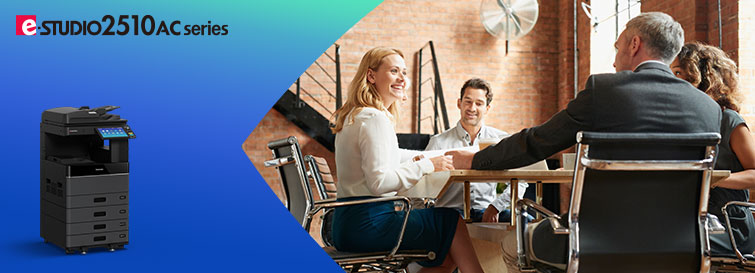
e-STUDIO2010AC/2510AC
The e-STUDIO2010AC/2510AC comprises an A3/LD-size color MFP series that offers print speeds of 20/25 ppm. For group projects, for business, and for those who need a color print function, we are here to assist you. The series incorporates industry-leading technology and innovations that are designed to help small groups of people stay connected and simple.
Specifications
| Model | e-STUDIO2010AC | e-STUDIO2510AC | |
| General Feature | |||
| Copy / Print Speed (ppm) | Color | 20 | 25 |
| B & W | 20 | 25 | |
| Warm-up Time | Approx. 21 sec. | ||
| Memory | Std. 2 GB/ Expandability: Max 4 GB | ||
| Storage | 320GB Self-Encryption HDD | ||
| Dimension (W × D × H) | 575 × 586* × 662 mm / 22.6″ × 23″* × 26.1″ | ||
| Weight | Less than 57 kg / 125.7 lbs | ||
| Input Paper Capacity | Standard | 350 sheets | |
| Maximum | 2,900 sheets | ||
| Available Paper Weight | 60 – 209 g/m² / 16 lb. Bond – 110 lb. Index | ||
| Available Paper size | 100 × 148 to A3 / 100 × 148 to LD | ||
| Document feeder | Optional 100-sheet RADF | ||
| Finishing Option | Saddle Stitching Finisher, Inner Finisher, Job Separator | ||
| Copier Feature | |||
| First Copy Speed | Color | Less than 9.5 sec. | |
| B & W | Less than 7.1 sec. | ||
| Resolution | Up to 73 ppm (300 dpi) | ||
| Multiple Copy | Up to 999 | ||
| Printer Feature | |||
| Resolution | 600 x 600 dpi, 5bit | ||
| PDL | PCL6 Emulation, PS3 Emulation, XPS | ||
| Interface | Standard | USB (High speed), 10/100/1000BASE-T | |
| Option | Wireless LAN (IEEE802.11 b/g/n), Bluetooth | ||
| Scanner Feature | |||
| Resolution | 100/150/200/300/400/600 dpi | ||
| Max. Scan Speed | Self-encryption HDD with Wipe technology, TLS, Private Print, Encrypted print, Tracking Print, Encrypted PDF, User Authentication, Role Based Access Control, IP/MAC Address filtering, SNMPv3, 802.1X for Wired/Wireless, Fax secure receiving, Fax missending prevention, Security event logging, Password Policy, Integrity Check, HCD-PP | ||
| Data format | Standard | TIFF, PDF, XPS, JPEG, Slim PDF, PDF/A | |
| Option | DOCX, EXLS, PPTX, Searchable PDF | ||
| Scan Protocol | SMB, FTP, IPX/SPX, FTPS, USB, Netware | ||
| Scan features | File, Email, USB, e-Filing Box, TWAIN, Local HDD, Share Point, iFax, Fax, WS scan | ||
| Internet Fax | ITU-T T.37 (Simple mode) | ||
| Fax Feature (option) | |||
| Communication mode / Modem Speed | Super G3 / 33.6kbps – 2.4 kbps | ||
| Data Compression | JBIG, MMR, MR, MH | ||
| Number of Lines (Std. / Max.) | 1 / 2 | ||
| Phonebook | 3,000 stations | ||
| Security Feature | |||
| Standard | Self-encryption HDD with Wipe technology, TLS, Private Print, Encrypted print, Tracking Print, Encrypted PDF, User Authentication, Role Based Access Control, IP/MAC Address filtering, SNMPv3, 802.1X for Wired/Wireless, Fax secure receiving, Fax mis-sending prevention, Security event logging, Password Policy, Integrity Check, HCD-PP | ||
| Optional | Card authentication, NFC authentication, Data Overwrite, IPsec, Hardcopy Security Printing, FIPS Certified Self-encryption HDD with Wipe technology | ||
* Depth is different depending on the angle of the control panel.
**Specifications and availability of models and options vary by region.
e-STUDIO2010AC/2510AC Repair Service in Bangladesh
Contact US: +8801717146717
e-STUDIO2010AC/2510AC Repair Service in Bangladesh: Trust Ideal Technology BD for Expert Solutions
Are you facing issues with your e-STUDIO2010AC/2510AC printer in Bangladesh? With years of experience and a team of skilled technicians, we are your go-to solution for all your printer repair needs.
Why Choose Ideal Technology BD for Printer Repairs in Bangladesh?
At Ideal Technology BD, we have a team of highly trained technicians who specialize in repairing e-STUDIO2010AC/2510AC printers. Our technicians are well-versed in the intricacies of these printers, ensuring efficient and effective repairs every time.
We understand the importance of having a functioning printer in your workspace, which is why we strive to provide quick turnaround times for all repairs. You can trust us to get your e-STUDIO2010AC/2510AC printer up and running in no time.
Assessment: Our technicians will thoroughly assess your printer to determine the root cause of the issue.
- Repair: Once the issue has been identified, we will proceed with the necessary repairs using high-quality parts.
- Testing: Before returning your printer to you, we will conduct rigorous testing to ensure that it is functioning perfectly.
- Delivery: We will deliver your repaired printer to your doorstep, saving you time and hassle.
Add a review
Your email address will not be published. Required fields are marked *