Search products
Remove item Thumbnail image Product Price Quantity Subtotal
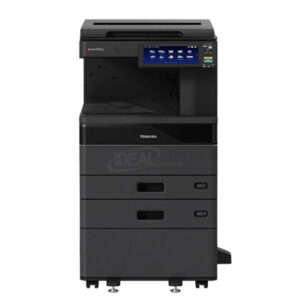
× ### **Main Features of Toshiba e-STUDIO 2528A Copier** ✔ **Fast Copying Speed** – **25 pages per minute (PPM)** for efficient document processing. ✔ **High-Quality Printing** – **600 x 600 dpi resolution** for sharp and professional prints. ✔ **Quick First Copy Out Time** – Produces the first copy in **less than 4.3 seconds**. ✔ **Large Paper Capacity** – **Standard 1,200 sheets**, expandable up to **5,200 sheets**. ✔ **Automatic Duplex Printing** – Standard **double-sided printing** for cost savings. ✔ **10.1” Color Touch Screen** – Intuitive **WSVGA tilting display** for easy operation. ✔ **Multiple Copying Function** – Capable of making **up to 999 copies** in a single job. ✔ **Versatile Paper Handling** – Supports **A3, LD, and custom paper sizes** from **3.9” x 5.8” to LD**. ✔ **High Monthly Duty Cycle** – Handles up to **100,000 pages per month** for heavy-duty printing. ✔ **Powerful Performance** – Equipped with **4GB RAM** and **128GB SSD** for smooth operations. ✔ **Energy-Efficient** – **Fast warm-up time** (approx. **20 seconds**) for minimal downtime. ✔ **Reliable and Durable** – Built for **long-lasting performance** in business environments. ✔ **Flexible Paper Weights** – Supports paper from **16 lb Bond to 140 lb Index**. ✔ **Standard & Optional Paper Feeders** – Various drawer and cassette options for **customized paper handling**. ✔ **Low Power Consumption** – Maximum **1.8kW (120V)** for energy efficiency. This **high-performance Toshiba copier** is perfect for **businesses, offices, and enterprises** that require **efficient, high-volume printing, copying, and scanning** solutions. 🚀 Toshiba e-STUDIO 2528A Best Monochrome Photocopier 148,000.00৳ 
148,000.00৳ 
× Toshiba e-Studio 2010AC-2510AC Firmware  Download Toshiba Firmware e-Studio 2010AC-2510AC (Software) 3,500.00৳ 
3,500.00৳ 
× Photocopy General/ Monthly Repair or Service * General Service a) Process Unit Clean b) Fuser Unit Clean c) Drawer Module Clean d) Alearing Clean Photocopier Machines Repair Serviceing in Dhaka, Bangladesh 700.00৳ 
700.00৳ 
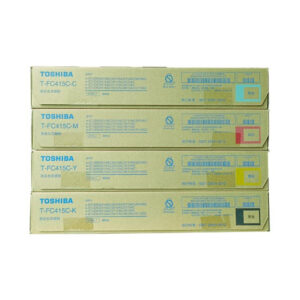
× Brand: TOSHIBA Model: T-FC415C-CMYK (Four Color) Print Technology: Laser. Printing Yield (Approx): ± 25,000 Pages/Set. Colour Type: CMYK (Cyan, Magenta, Yellow, Black). Compatible: e-Studio 2010AC,2110AC,3015AC,3115AC. Toshiba Original T-FC415C Toner Set – CMYK for Color Laser Printers 48,000.00৳ 
48,000.00৳ 
× Enhance the performance of your Toshiba e-STUDIO copier with the Toshiba OD-FC30 Color Photocopier Drum. This genuine Toshiba drum is designed for a wide range of Toshiba e-STUDIO models and delivers high-quality prints with exceptional color accuracy and reliability. Toshiba OD-FC30N Color Photocopier Drum 3,500.00৳ 
3,500.00৳ 
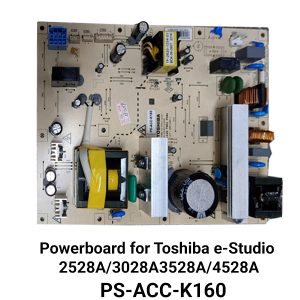
× Buy Toshiba PS-ACC-K160 Power Supply Board Best Price in Bangladesh Introduction Are you in search of the best price for the PS-ACC-K160 power supply board in Bangladesh? Look no further! In this article, we will discuss where you can find the PS-ACC-K160 power supply board at the best price in Bangladesh. We understand the importance of purchasing high-quality products at affordable prices, so we have done the research for you. Read on to discover where you can get the best deal on the PS-ACC-K160 power supply board. Why PS-ACC-K160 Power Supply Board? The PS-ACC-K160 power supply board is an essential component for electronic devices, providing stable and reliable power to ensure optimal performance. Whether you are a professional or a hobbyist, having a high-quality power supply board is crucial for the functionality and longevity of your devices. The PS-ACC-K160 power supply board offers advanced features and specifications that make it stand out among competitors in the market. Features and Specifications Before we dive into the best price for the PS-ACC-K160 power supply board in Bangladesh, let's take a closer look at its features and specifications. Understanding these details will help you make an informed decision when purchasing the power supply board: Input Voltage: The PS-ACC-K160 power supply board is designed to handle a wide range of input voltages, ensuring compatibility with various electronic devices. Output Voltage and Current: It provides a stable output voltage and current, preventing any fluctuations that could potentially damage the connected electronic devices. Efficiency: The power supply board is highly efficient, reducing energy wastage and saving you money on your electricity bill. Protection Mechanisms: It incorporates several protection mechanisms such as overvoltage protection, overload protection, and short circuit protection, ensuring the safety of your devices. Durability: Built with high-quality materials, the PS-ACC-K160 power supply board is durable and long-lasting, providing you with peace of mind. Where to Find the PS-ACC-K160 Power Supply Board Best Price in Bangladesh Toshiba e-Studio 2528A, 3028A PS-ACC-K160 Power Board 17,500.00৳ 
17,500.00৳ 
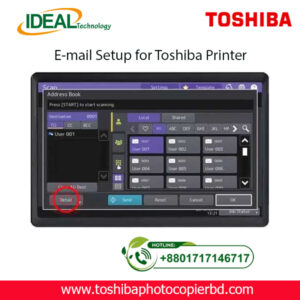
× How to Setup Email on Toshiba e-Studio Printer? If you are looking to set up email on your Toshiba e-Studio printer, you have come to the right place. In this article, we will walk you through the step-by-step process of configuring your printer to send emails. With the advancements in technology, printers are no longer limited to just printing documents. They can now be used for various tasks, including sending emails. Setting up email on your Toshiba e-Studio printer is a simple process that can be done in just a few minutes. Follow the steps below to get started. Step 1: Check Your Network Connection Before setting up email on your Toshiba e-Studio printer, ensure that your printer is connected to the same network as your computer. This is essential to establish a connection between the printer and the email server to send emails. Step 2: Access the Printer’s Web Interface To begin the setup process, access the web interface of your Toshiba e-Studio printer. You can do this by entering the printer’s IP address into your web browser. Once you are on the web interface, navigate to the settings menu to configure the email settings. Step 3: Configure Email Settings In the settings menu, locate the email settings option and enter the details of your email server, such as the SMTP server address, port number, and authentication settings. You will also need to enter the email address from which the emails will be sent. Step 4: Test Email Settings After entering the email settings, test the configuration by sending a test email from the printer. This will help you verify that the email setup is successful and that you can send emails from your Toshiba e-Studio printer. Step 5: Send Emails from Your Printer Once the test email is sent successfully, you can now start sending emails directly from your Toshiba e-Studio printer. Simply select the document you want to send via email and choose the email option from the printer’s menu. By following these simple steps, you can easily set up email on your Toshiba e-Studio printer and send emails directly from the printer. This convenient feature allows you to streamline your workflow and send important documents quickly and efficiently. In conclusion, setting up email on your Toshiba e-Studio printer is a straightforward process that can greatly enhance the functionality of your printer. With the ability to send emails directly from the printer, you can save time and simplify your work process. So why wait? Follow the steps outlined above and start sending emails from your Toshiba e-Studio printer today! SEO Meta-description: Learn how to set up email on your Toshiba e-Studio printer in just a few simple steps. Send emails directly from your printer hassle-free. At Ideal Technology BD, we are dedicated to providing expert guidance on setting up and optimizing your Toshiba e-Studio printer. If you have any questions or need assistance with configuring your printer, feel free to reach out to our team for support. Happy printing! Toshiba Photocopier e-Studio MFP Email Setup 2,000.00৳ 
2,000.00৳ 

Cart totals

Subtotal 223,200.00৳ 
Total 223,200.00৳ 
Search products
Back to Top
Product has been added to your cart