

Description
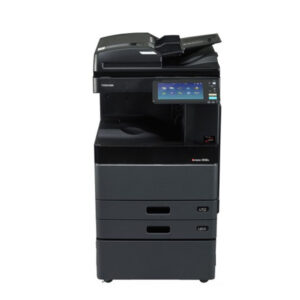
Toshiba e-Studio Service Password Reset (Master Password)
Is your Toshiba e-Studio printer asking for a service password reset?
Don’t worry, we’ve got you covered. In this article, we will guide you through the process of resetting the master password for your Toshiba e-Studio printer.
Toshiba e-Studio printers are known for their reliability and high-quality printing capabilities. However, like any other electronic device, they may encounter some issues from time to time. One common problem that Toshiba e-Studio users face is being locked out of their printer due to a forgotten service password. In such cases, knowing how to reset the master password is essential to regain access to your printer.
What is the Service Password?
The service password on a Toshiba e-Studio printer is a security feature that restricts access to service mode settings and functions. It is different from the regular user password and is usually set by the system administrator.
How to Reset the Master Password
If you find yourself locked out of your Toshiba e-Studio printer due to a forgotten service password, you can reset the master password by following these steps:
- Turn off the printer and unplug it from the power source.
- Press and hold the “Home+Access ” key on the control panel while plugging the printer back in.
- Keep holding the “Master Password” key until the display shows a message prompting you to enter the master password.
- Enter the default master password provided by Toshiba (usually “Administrator password is 123456 and Service Password is #1048#”) and press the “Enter” key.
- Once the password is accepted, you will have the option to set a new master password of your choice.
Conclusion
In conclusion, knowing how to reset the master password on your Toshiba e-Studio printer is crucial for maintaining access to your printer’s settings and functions. By following the simple steps outlined in this article, you can quickly reset the master password and regain full control of your printer. Remember to keep your new password secure and easily accessible for future reference.
Following the Available of our Service Reset Master Password:
Toshiba e-Studio 2508A/3008A/3508A/4508A/5008A Service Password Reset by Master Password
Toshiba e-Studio 2518A/3018A/3518A/4518A/5018A Service Password Reset by Master Password
Toshiba e-Studio 2618A/3118A/3618A/4618A/5118A Service Password Reset by Master Password
Toshiba e-Studio 2000AC/2500AC Service Password Reset by Master Password
Toshiba e-Studio 2010AC/2510AC Service Password Reset by Master Password
Toshiba e-Studio 2110AC/2610AC Service Password Reset by Master Password
Toshiba e-Studio 2020AC/2520AC Service Password Reset by Master Password
Toshiba e-Studio 2528A/3028A/3528A/4528A Service Password Reset by Master Password
Toshiba e-Studio 2525AC/3025AC/3525AC/4525AC Service Password Reset by Master Password
Toshiba e-Studio 2505AC/3005AC/3505AC/4505AC/5005AC Service Password Reset by Master Password
Toshiba e-Studio 2515AC/3015AC/3515AC/4515AC/5015AC Service Password Reset by Master Password
Toshiba e-Studio 2615AC/3115AC/3615AC/4615AC/5115AC Service Password Reset by Master Password
Learn how to reset the master password on your Toshiba e-Studio printer with our easy step-by-step guide. Don’t get locked out – follow these instructions now!
Now that you know how to reset the service password on your Toshiba e-Studio printer, you can quickly resolve this issue and get back to printing with ease. Don’t let a forgotten password stand in the way of your productivity – follow our guide and regain control of your printer today!
Service Password Reset (Price are depend on Model- Please Call/Whatsapp Share your photocopier model and known as your master key price)

There are no reviews yet.