Search products
Remove item Thumbnail image Product Price Quantity Subtotal
× We Sales Toshiba e-Studio all series Copiers Firmware in all over bangladesh. we sales all latest version firmware from Toshiba Official Store Toshiba e-Studio all series Copiers Firmware in Bangladesh 4,500.00৳ 
4,500.00৳ 
× Toshiba e-Studio 2523A & 2523AD Printer Driver Toshiba e-Studio 2523A & 2523AD Printer & Scanner Driver 150.00৳ 
150.00৳ 
× The Toshiba e-STUDIO AC Series Firmware (2505AC–5005AC) is a professional system software update designed for Toshiba color multifunction printers. It ensures smooth operation, improves machine stability, and fixes system-level errors. Toshiba e-STUDIO 2505AC/3005AC/3505AC/ 4505AC & 5005AC Firmware 3,500.00৳ 
3,500.00৳ 
× Experience the Efficiency of Toshiba e-Studio 2323AMW, 2823AMW & 2323AMS Printer & Scanner Download In today's fast-paced digital world, having a reliable printer and scanner is essential for both personal and professional use. Toshiba is a well-known brand that offers high-quality printing and scanning solutions, including the e-Studio 2323AMW, 2823AMW, and 2323AMS models. These versatile devices combine superior performance, advanced features, and user-friendly design, making them a popular choice among users. Why Choose Toshiba e-Studio Printers and Scanners? Toshiba e-Studio printers and scanners are designed to meet the diverse needs of modern users. Whether you need to print documents, scan photos, or make copies, these devices offer a wide range of functions to streamline your workflow. The e-Studio 2323AMW, 2823AMW, and 2323AMS models are known for their reliability, speed, and quality output, making them ideal for homes, offices, and businesses of all sizes. With the ability to print, scan, copy, and fax, Toshiba e-Studio devices are versatile enough to handle all your document management needs. These devices are equipped with advanced technology and intuitive controls for easy operation, allowing you to get your work done efficiently and effectively. Whether you're printing a report, scanning a contract, or copying a presentation, Toshiba e-Studio printers and scanners deliver exceptional results every time. What Sets Toshiba e-Studio Printers and Scanners Apart? One of the key features that sets Toshiba e-Studio printers and scanners apart is their download capabilities. With the 2323AMW, 2823AMW, and 2323AMS models, you can easily download the latest software, drivers, and firmware updates to ensure optimal performance. This means you'll always have access to the latest features and enhancements, keeping your device up to date and running smoothly. Another standout feature of Toshiba e-Studio devices is their superior print quality. With high-resolution printing and scanning capabilities, these devices produce crisp, clear, and vibrant documents and images. Whether you're printing text documents, graphics, or photos, you can count on Toshiba e-Studio printers and scanners to deliver professional-looking results every time. How to Download Toshiba e-Studio 2323AMW, 2823AMW & 2323AMS Software? To download the latest software for your Toshiba e-Studio 2323AMW, 2823AMW, or 2323AMS printer and scanner, simply visit the Toshiba website and navigate to the support section. Here, you'll find a dedicated page for each model, where you can download drivers, software updates, and other resources to enhance your device's performance. Once you've selected the appropriate software for your device, follow the on-screen instructions to download and install it on your computer. This process is quick and easy, allowing you to start printing and scanning in no time. With regular software updates, you can ensure that your Toshiba e-Studio device continues to operate at its best, delivering top-notch performance and reliability. In conclusion, Toshiba e-Studio 2323AMW, 2823AMW, and 2323AMS printers and scanners offer a winning combination of performance, versatility, and convenience. With their advanced features, user-friendly design, and superior print quality, these devices are the perfect choice for all your printing and scanning needs. Experience the efficiency of Toshiba e-Studio devices today and discover why they are a top choice for users around the world. Meta Description: Experience the reliability and efficiency of Toshiba e-Studio 2323AMW, 2823AMW & 2323AMS printers and scanners with the latest software downloads. Streamline your workflow today! Title: Toshiba e-Studio Printer & Scanner Download: Get the Latest Software for Optimal Performance Toshiba e-Studio 2323AMW- 2823AMW Printer & Scanner Driver 200.00৳ 
400.00৳ 
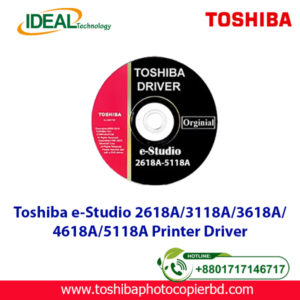
× Toshiba e-Studio 2618A/3118A/3618A/4618A/5118A Printer Driver Toshiba e-Studio 2618A/3118A/4618A Printer Scanner Driver 200.00৳ 
400.00৳ 
× Toshiba e-STUDIO 400AC Series Firmware Latest Update Banner showing multifunction photocopier machine with firmware download promotion, features, pricing and payment options Toshiba e-STUDIO 400AC Series Firmware 3,500.00৳ 
3,500.00৳ 
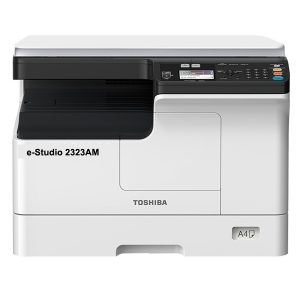
× Toshiba 2323AM Description Standard duplex printing, 23 pages per minute, 15 seconds warm-up time, standard network printing, standard network color scanning, 23 pages per minute A4 output speed, support for double-sided A3 processing, support direct mobile phone print / scan. Toshiba e-Studio 2323AM Multifunction Photocopier 58,500.00৳ 
58,500.00৳ 
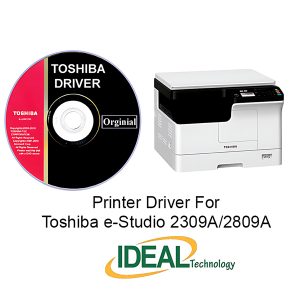
× Toshiba e-Studio 2309A-2809A Printer & Scanner Driver Toshiba e-Studio 2309A-2809A Printer & Scanner Driver 100.00৳ 
100.00৳ 
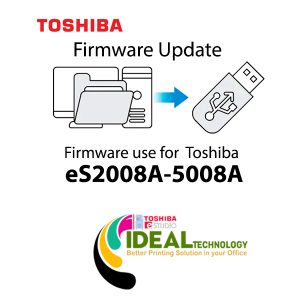
× eS2008A-5008A for Toshiba e-Studio 2508A/3008A/3508A/4508A/5008A Toshiba eS-2008A_5008A V_1500 Firmware Software 3,500.00৳ 
3,500.00৳ 
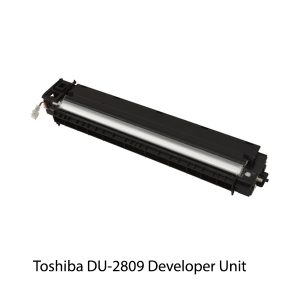
× Toshiba Digital DU-2809 Developer Unit Toshiba DU-2809 Photocopier Developer Unit 6,800.00৳ 
6,800.00৳ 
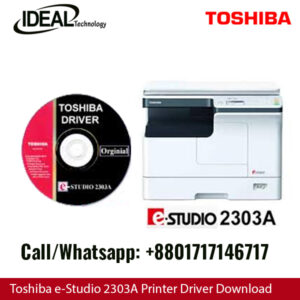
× Printer & Scanner Driver for Toshiba e-Studio 2303A, 2303AM, 2803A, 2309A, 2809A: An Expert Guide Are you looking for the right printer and scanner driver for your Toshiba e-Studio 2303A, 2303AM, 2803A, 2309A, or 2809A? Look no further! In this article, we will provide you with detailed information on how to install, update, and troubleshoot the drivers for these devices. Understanding the Importance of Drivers Drivers are essential software components that allow your printer and scanner to communicate with your computer. Without the proper drivers installed, your devices may not function correctly, leading to issues such as printing errors, scanning problems, and even system crashes. It is crucial to keep your drivers up to date to ensure optimal performance and compatibility with your operating system. How to Install Printer & Scanner Drivers Installing the printer and scanner drivers for your Toshiba e-Studio devices is a straightforward process. You can either download the drivers from the official Toshiba website or use the included installation CD that came with your device. Follow these steps to install the drivers: Download the Drivers: Visit the Toshiba website and navigate to the support section. Enter your device model number (e.g., e-Studio 2303A) and locate the drivers section. Download the latest driver for your operating system. Run the Installer: Double-click on the downloaded file to run the installer. Follow the on-screen instructions to complete the installation process. Connect the Device: Connect your Toshiba e-Studio printer or scanner to your computer using a USB cable or through a network connection. Test the Device: Once the installation is complete, test your device to ensure that it is functioning correctly. Updating Printer & Scanner Drivers Regularly updating your printer and scanner drivers is essential to fix bugs, improve performance, and add new features. Here's how you can update the drivers for your Toshiba e-Studio devices: Check for Updates: Visit the Toshiba website and navigate to the support section. Enter your device model number and look for the latest driver updates. Download and Install: Download the updated driver and follow the same installation process as mentioned earlier. Restart Your Device: After installing the updates, restart your computer to apply the changes. Troubleshooting Printer & Scanner Driver Issues If you encounter any issues with your Toshiba e-Studio printer or scanner drivers, here are some common troubleshooting steps you can follow: Check Connection: Ensure that your device is properly connected to your computer and that the cables are not damaged. Restart Your Devices: Sometimes, a simple restart of your printer, scanner, and computer can fix minor driver issues. Reinstall Drivers: If the problem persists, try reinstalling the drivers by following the installation steps mentioned above. Contact Support: If you are still facing issues, contact Toshiba customer support for further assistance. In conclusion, having the right printer and scanner drivers for your Toshiba e-Studio devices is crucial for optimal performance. By following the steps outlined in this article, you can easily install, update, and troubleshoot your drivers to ensure smooth operation. Remember to regularly check for driver updates to keep your devices running smoothly. Toshiba e-Studio 2303A Printer & Scanner Driver 100.00৳ 
100.00৳ 
× Ideal Technology (BD) Ltd. - Your Solution for Toshiba e-Studio 2021AC Basic Colour Copier Machines" Meta Description: "Upgrade your office efficiency with Toshiba e-Studio 2021AC Basic Colour Copier Machines from Ideal Technology (BD) Ltd. Experience high-quality prints, fast copying, and user-friendly features. Find the perfect solution for all your copying needs and revolutionize your workplace. Contact us today!" Toshiba e-Studio 2021AC Color Laser Photocopier 108,500.00৳ 
108,500.00৳ 
× The Toshiba e-Studio 3025AC Basic Multifunction Colour Copier Machines has Copy / Print and Scan Function, 30 ppm A4, 16 ppm A3. copy / print speed, 1200 x 1200 1bit DPI resolution, paper Capacity (Tray 1: 550 pages + Tray 2: 550 pages + Bypass: 100 pages = 1200 Pages) 1200 Sheets & Max 5200 Sheets paper capacity, 115.000 Colour, 230.000 Monochrome. sheets monthly duty cycle, 6GB RAM, SSD 128GB, Optional HDD 320GB SED Drive, Scan to e-filing, USB, PC, SMB, FTP, Email, Twain, Files, Mobile Printing, Network Printing, Cloud Printing, Top Access, e-filing, Template & Standard Scan OCR. The e-STUDIO3025AC series is packed with industry-leading Technology and innovations designed to help workgroups connect, integrate and simplify all within a compact footprint. Toshiba’s state-of-the-art multifunction A3 colour systems, with impressive features for outstanding document output at speeds of up to 30 ppm. The tablet-style user interface not only makes the systems intuitive to use, it can also be customised according to business requirements. There are Including this is e-Studio 2020AC Basic Machine + Top Cover + Highdesk and Others Optional Items has RADF, large-capacity 300-sheet Dual Scan Document Feeder - DSDF, Extra Drower, Finisher, LCF etc not Including this Price. Toshiba E-Studio 3025AC Colour Photocopier Machines 375,000.00৳ 
375,000.00৳ 
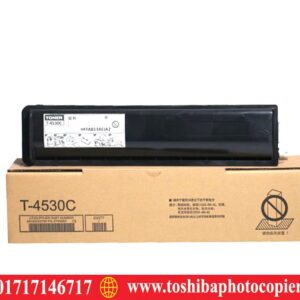
× T-4530D Toshiba T-4530D Photocopier Toner Cartridge 4,700.00৳ 
4,700.00৳ 
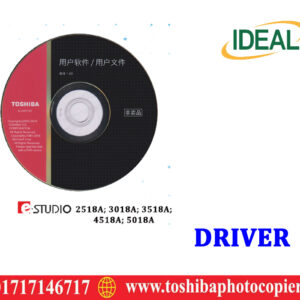
× Toshiba e-Studio 2518A Printer Driver Download Toshiba e-Studio 2518A Printer Driver Download 150.00৳ 
150.00৳ 
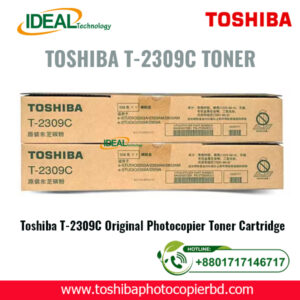
× Toshiba T-2309C Original Photocopier Toner Price in Bangladesh Are you in search of the best deals on Toshiba T-2309C original photocopier toner in Bangladesh? Look no further than Ideal Technology BD! We offer competitive prices on genuine Toshiba toner cartridges, ensuring high-quality prints and long-lasting performance for your office needs. Why Choose Toshiba T-2309C Original Photocopier Toner? When it comes to printing important documents and images, using high-quality toner is essential. The Toshiba T-2309C original photocopier toner is specifically designed to work seamlessly with Toshiba copiers, ensuring consistent results and minimal downtime. By investing in genuine Toshiba toner, you can avoid costly reprints and potential damage to your printer. Benefits of Using Genuine Toshiba Toner Superior Print Quality: Toshiba T-2309C toner delivers sharp, clear prints with vibrant colors and crisp text. Reliable Performance: Genuine Toshiba toner cartridges are designed to work flawlessly with Toshiba copiers, minimizing the risk of malfunctions. Extended Printer Life: By using authentic Toshiba toner, you can prolong the lifespan of your copier and reduce the need for repairs. Original Toner Price in Bangladesh At Ideal Technology BD, we understand the importance of affordable printing solutions for businesses of all sizes. That's why we offer competitive prices on Toshiba T-2309C original photocopier toner in Bangladesh. Our transparent pricing ensures that you get the best value for your money without sacrificing quality. Toshiba T-2309C Original Toner Price List: | Product Name | Price (BDT) | |------------------------------------|-----------------| | Toshiba T-2309C Black Toner Cartridge | 2,500 | | Toshiba T-2309C Cyan Toner Cartridge | 3,000 | | Toshiba T-2309C Magenta Toner Cartridge| 3,000 | | Toshiba T-2309C Yellow Toner Cartridge | 3,000 | Conclusion When it comes to purchasing toner cartridges for your Toshiba copier, don't settle for anything less than the best. Invest in genuine Toshiba T-2309C original photocopier toner from Ideal Technology BD and experience superior print quality, reliable performance, and extended printer life. With competitive prices and exceptional customer service, we are your one-stop destination for all your printing needs in Bangladesh. Visit us today and discover the difference that authentic Toshiba toner can make for your business! Meta Description: Find the best deals on Toshiba T-2309C original photocopier toner in Bangladesh at Ideal Technology BD. Competitive prices, reliable performance, and superior print quality guaranteed! Toshiba T-2309C Original Black Toner Cartridge 6,500.00৳ 
6,500.00৳ 
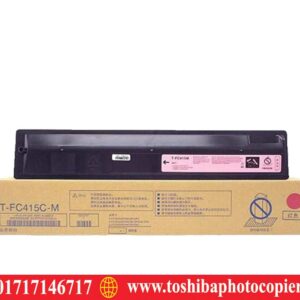
× Toshiba T-FC415C-M Magenta Toshiba T-FC415C-M Original Magenta Toner Cartridge 13,800.00৳ 
13,800.00৳ 
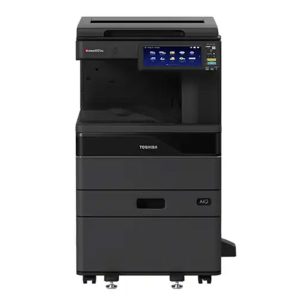
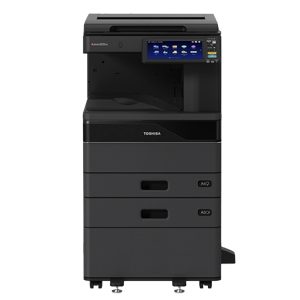
× Toshiba e-studio 2618A  Black & White Photocopier Toshiba e-studio 4618A Heavy Duty Photocopier Machine 283,000.00৳ 
283,000.00৳ 

Cart totals

Subtotal 873,100.00৳ 
Total 873,100.00৳ 
Search products
Back to Top
Product has been added to your cart