
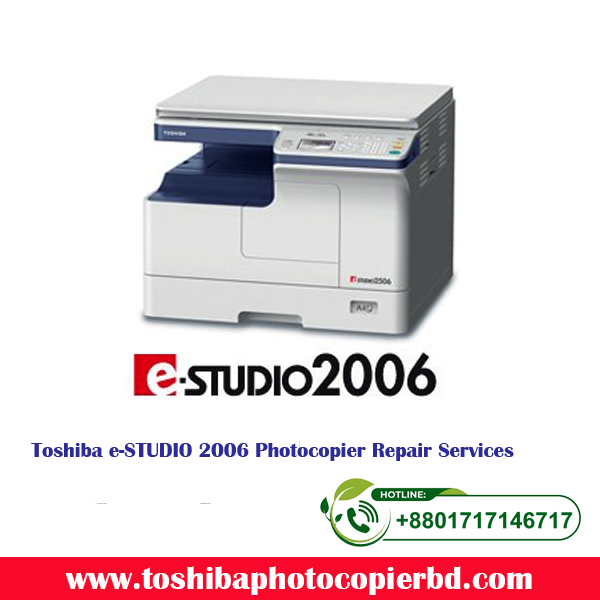
e-STUDIO2006/2306/2506
 The e-STUDIO2006/2306/2506 are compact, lightweight, entry-level MFPs. In addition to black-and-white copying, this series can be used as a black-and-white printer and colour scanner, simply by connecting to a PC via USB cable.
Features
Compact Design
The e-STUDIO2506 series offers a compact body measuring 575 × 540 × 402mm. Weighing just 25.5kg, this series can be placed anywhere in the office and are easy to install.
All-in-one Design
Printing, scanning and copying are all standard features in the e-STUDIO2506 series, eliminating the need to purchase and install separate devices for these tasks. Total footprint is reduced, and management is simple, as consumable purchases and maintenance are required for only one device.
Color Scanner
The e-STUDIO2506 series is equipped with a colour scanner, so colour originals can be saved in their original colours. Because originals can be scanned without any colour loss, users avoid the need to purchase a separate colour scanner.
Simple Operation
The operating panel is equipped with a four-line LCD and feature buttons, including a directional arrow key, so users can call up the features they need on the menu screen simply and easily. This interface delivers intuitive and efficient operation.
Eco-friendly
The e-STUDIO2506 series supports the Energy Star international environmental standard, providing excellent energy-saving performance. These environmentally friendly series eliminate the use of many harmful materials, such as lead and mercury.
Specifications
| Model | e-STUDIO2006 | e-STUDIO2306 | e-STUDIO2506 | |
|---|---|---|---|---|
| General Feature | ||||
| Copy / Print Speed (ppm) | 20 | 23 | 25 | |
| Warm-up Time | Approx. 20 sec. | |||
| Memory | 512MB | |||
| Storage | – | |||
| Dimension (W × D × H) | 575 × 540 × 402 mm / 22.6″ × 21.3″ × 15.8″ | |||
| Weight | Approx. 25.5 kg / 56.2 lbs | |||
| Input Paper Capacity | Standard | 350 sheets | ||
| Maximum | 600 sheets | |||
| Available Paper Weight | 64 – 163 g/m² / 17 – 90lbs. Index | |||
| Available Paper size | A5-R to A3 / ST-R to LD | |||
| Document feeder | Optional 50-sheet RADF | |||
| Duplexing | Standard | |||
| Finishing Option | – | |||
| Copier Feature | ||||
| First Copy Speed | 7 sec. (A4) / 7.1 sec (LT) | |||
| Resolution | 2,400 × 600 dpi (with soothing) | |||
| Multiple Copy | Up to 999 | |||
| Printer Feature | ||||
| Resolution | 600 × 600 dpi, 2,400 × 600 dpi (with soothing) | |||
| PDL | PCL6 | |||
| Interface | Standard | USB (High speed) | ||
| Option | – | |||
| Scanner Feature | ||||
| Resolution | 150/300/600* dpi | |||
| Max. Scan Speed | Color | 7 spm (300 dpi) | ||
| B & W | 25 spm (all resolution) | |||
| Data format | TIFF, PDF, JPEG** | |||
| Scan Protocol | – (USB connection) | |||
| Scan features | USB, TWAIN | |||
| Internet Fax | – | |||
| Fax Feature (option) | ||||
| Communication mode / Modem Speed | – | |||
| Data Compression | – | |||
| Number of Lines (Std. / Max.) | – | |||
| Phonebook | – | |||
| Security Feature | ||||
| Standard | Access Code | |||
| Optional | – | |||
* Colour scan at 600dpi is for A5-R/ST-R only.
** When using “Scan to USB” function.
*** Specifications and options vary by region.
Add a review
Your email address will not be published. Required fields are marked *