Search products
Remove item Thumbnail image Product Price Quantity Subtotal
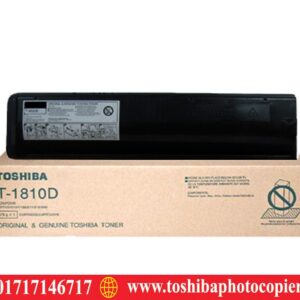
× Toshiba T-1810D Toshiba T-1810D Photocopier Toner 2,800.00৳ 
2,800.00৳ 
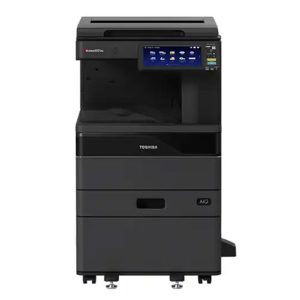
× Ideal Technology (BD) Ltd. - Your Solution for Toshiba e-Studio 2021AC Basic Colour Copier Machines" Meta Description: "Upgrade your office efficiency with Toshiba e-Studio 2021AC Basic Colour Copier Machines from Ideal Technology (BD) Ltd. Experience high-quality prints, fast copying, and user-friendly features. Find the perfect solution for all your copying needs and revolutionize your workplace. Contact us today!" Toshiba e-Studio 2021AC Color Laser Photocopier 108,500.00৳ 
108,500.00৳ 
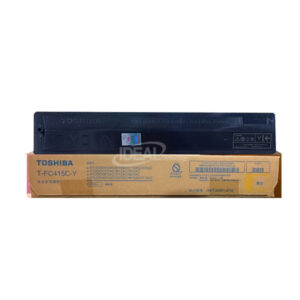
× Buy Toshiba T-FC415C-Y Yellow Toner from "Toshiba Photocopier BD" Shop Only. Toshiba T-FC415C-Y Yellow Toner Cartridge also supports the following models: Toshiba e-studio 2010AC, 2510AC, 2515AC, 3015AC, 3515AC, 4515AC, 5015AC, 2110AC, 2615AC, 3115AC, 3615AC, 4615AC/5115AC Multifunctional Color Photocopier Machines. T-FC415C-K Black Toner has a net weight of 570 gm and a maximum yield of ±25000 Pages @ 5% Average Coverage. Toshiba T-FC415C-Y Yellow Original & Genuine Toner 12,500.00৳ 
12,500.00৳ 
× "Copy King: The Go-To Photocopier Repair Shop in Bangladesh!" Toshiba Photocopier Repairing Service Price in Bangladesh 700.00৳ 
700.00৳ 
× Hi there! Welcome to Ideal Photocopier Solution – the leading Photocopy Machines Service Center in Bangladesh! If you're in need of top-quality service for your photocopy machines, you've definitely landed in the right spot. Our wonderful team of skilled technicians is committed to delivering dependable and efficient solutions to meet all your photocopy machine requirements. Whether it's maintenance, repairs, troubleshooting, or parts replacement, we've got everything covered for you. You can trust us to keep your photocopy machines in excellent working condition, ensuring seamless and uninterrupted business operations. Reach out to us today to enjoy our exceptional and friendly service! Toshiba Photocopier Service Center Bangladesh 700.00৳ 
700.00৳ 
× Toshiba e-studio 2508A Black & White Photocopier Toshiba Photocopier importer & Retailer BD

Available on backorder

600.00৳ 
600.00৳ 
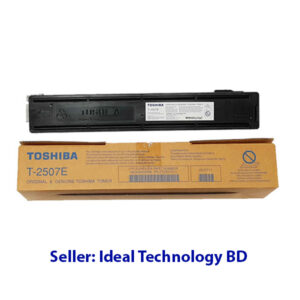
× Quick Overview Brand: TOSHIBA Model: T-2507E Colour Type: Black Print Technology: Monochrome Laser Printing Yield (Approx) : ±10,000 Pages Compatible: e-studio 2006; 2306; 2506; 2007; 2307; 2507. Weight: 240gm Toshiba T-2507E Black Laser Toner Cartridge 3,200.00৳ 
3,200.00৳ 
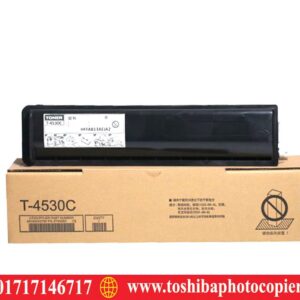
× T-4530D Toshiba T-4530D Photocopier Toner Cartridge 4,700.00৳ 
4,700.00৳ 
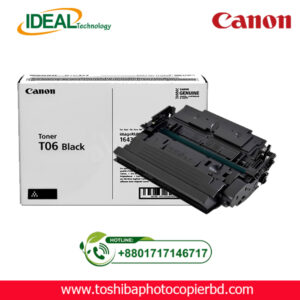
× Canon T06 Original Copier Toner Cartridge Price in Bangladesh Canon T06 Original Copier Toner Cartridge 13,650.00৳ 
13,650.00৳ 
× Experienced Technicians for fast and reliable Toshiba photocopier repair. Photocopy Machine Repair Services in Gulshan, Bangladesh 700.00৳ 
700.00৳ 
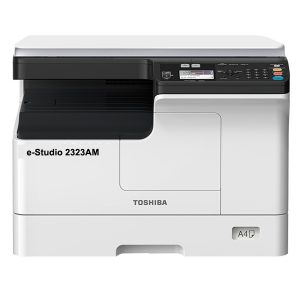
× Toshiba 2323AM Description Standard duplex printing, 23 pages per minute, 15 seconds warm-up time, standard network printing, standard network color scanning, 23 pages per minute A4 output speed, support for double-sided A3 processing, support direct mobile phone print / scan. Toshiba e-Studio 2323AM Multifunction Photocopier 58,500.00৳ 
117,000.00৳ 
× eS2018A_5018A V  firmware for Toshiba e-Studio 2518A, 3018A, 3518A, 4518A, and 5018A Photocopiers Toshiba eS-2018A_5018A Firmware Software 3,500.00৳ 
3,500.00৳ 
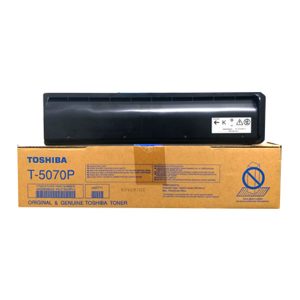
× Buy Toshiba Original T-5070P Black Toner Cartridge Price in Bangladesh Toshiba T-5070P Black Original & Genuine Toner Cartridge Supplies are specifically designed for the following Models: Toshiba e-Studio 257, Toshiba e-Studio 307, Toshiba e-Studio 357, Toshiba e-Studio 457 & Toshiba e-Studio 507 Photocopier Machines. It has 700gm weight and maximum yield ± 30000 pages @ 5% average coverage & which Get a great value for everyday business Coping / Printing. Toshiba T-5070P Genuine & Original Black Toner Cartridge & Get a great value for everyday business Coping / Printing. Our demanding specifications, high-quality standards, and rigorous testing ensure the highest-quality product will work best with your equipment. Strong infiltration capacity, no pore lines, no diffuse, no fade when it is wet on the printed. Excellent fastness rate, printed graphics context will be kept for a long time. Good compatibility will represent your perfect performance. Low corrosion and long lifespans Genuine Toner Cartridge is your one-stop shop for all your printing needs—all right from the comfort of your office. Toshiba T-5070P Original Black Toner Cartridge 11,000.00৳ 
11,000.00৳ 
× eS2008A-5008A for Toshiba e-Studio 2508A/3008A/3508A/4508A/5008A Toshiba eS-2008A_5008A V_1500 Firmware Software 3,500.00৳ 
3,500.00৳ 
× Main Motor Drive Gear For Toshiba E-Studio 2523A Main Motor Drive Gear For Toshiba E-Studio 2523A 650.00৳ 
650.00৳ 
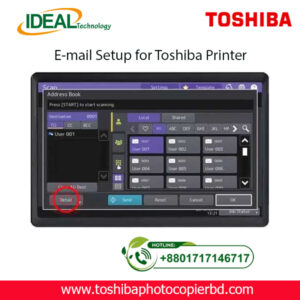
× How to Setup Email on Toshiba e-Studio Printer? If you are looking to set up email on your Toshiba e-Studio printer, you have come to the right place. In this article, we will walk you through the step-by-step process of configuring your printer to send emails. With the advancements in technology, printers are no longer limited to just printing documents. They can now be used for various tasks, including sending emails. Setting up email on your Toshiba e-Studio printer is a simple process that can be done in just a few minutes. Follow the steps below to get started. Step 1: Check Your Network Connection Before setting up email on your Toshiba e-Studio printer, ensure that your printer is connected to the same network as your computer. This is essential to establish a connection between the printer and the email server to send emails. Step 2: Access the Printer’s Web Interface To begin the setup process, access the web interface of your Toshiba e-Studio printer. You can do this by entering the printer’s IP address into your web browser. Once you are on the web interface, navigate to the settings menu to configure the email settings. Step 3: Configure Email Settings In the settings menu, locate the email settings option and enter the details of your email server, such as the SMTP server address, port number, and authentication settings. You will also need to enter the email address from which the emails will be sent. Step 4: Test Email Settings After entering the email settings, test the configuration by sending a test email from the printer. This will help you verify that the email setup is successful and that you can send emails from your Toshiba e-Studio printer. Step 5: Send Emails from Your Printer Once the test email is sent successfully, you can now start sending emails directly from your Toshiba e-Studio printer. Simply select the document you want to send via email and choose the email option from the printer’s menu. By following these simple steps, you can easily set up email on your Toshiba e-Studio printer and send emails directly from the printer. This convenient feature allows you to streamline your workflow and send important documents quickly and efficiently. In conclusion, setting up email on your Toshiba e-Studio printer is a straightforward process that can greatly enhance the functionality of your printer. With the ability to send emails directly from the printer, you can save time and simplify your work process. So why wait? Follow the steps outlined above and start sending emails from your Toshiba e-Studio printer today! SEO Meta-description: Learn how to set up email on your Toshiba e-Studio printer in just a few simple steps. Send emails directly from your printer hassle-free. At Ideal Technology BD, we are dedicated to providing expert guidance on setting up and optimizing your Toshiba e-Studio printer. If you have any questions or need assistance with configuring your printer, feel free to reach out to our team for support. Happy printing! Toshiba Photocopier e-Studio MFP Email Setup 2,000.00৳ 
2,000.00৳ 

Cart totals

Subtotal 285,700.00৳ 
Total 285,700.00৳ 
Search products
Back to Top
Product has been added to your cart