Search products
Remove item Thumbnail image Product Price Quantity Subtotal
× Toshiba e-Studio 2518A, 3018A, 2618A, 3118A Copiers Powerboard: A Comprehensive Guide Are you looking to enhance the performance of your Toshiba e-Studio copiers? The powerboard plays a crucial role in ensuring smooth operation and reliable functionality of these advanced machines. In this article, we will delve into the details of the Toshiba e-Studio 2518A, 3018A, 2618A, and 3118A copiers powerboard, and how it contributes to the overall efficiency of the devices. Understanding the Powerboard The powerboard, also known as the power supply board, is a vital component of the Toshiba e-Studio copiers. It is responsible for regulating the electrical power that is supplied to the various parts of the machine, ensuring stable voltage levels and preventing power surges that could potentially damage the copier's sensitive components. Key Functions of the Powerboard Voltage Regulation: The powerboard ensures that the copier receives a consistent voltage supply, preventing fluctuations that could lead to malfunctions or poor print quality. Power Distribution: It distributes power to the different sections of the copier, such as the fuser unit, imaging drum, and paper feed mechanisms, enabling smooth and efficient operation. Protection: The powerboard includes built-in protection mechanisms to safeguard the copier from power spikes or electrical faults, minimizing the risk of damage and downtime. Common Issues with Powerboards Over time, the powerboard of the Toshiba e-Studio copiers may encounter various issues that could affect the copier's performance. Some common problems include: Power Surges: Sudden power surges or electrical fluctuations can damage the powerboard, leading to erratic behavior or complete failure of the copier. Overheating: Continuous usage or environmental factors can cause the powerboard to overheat, affecting its efficiency and longevity. Component Failure: Individual components within the powerboard may fail due to wear and tear, necessitating repairs or replacement. Maintenance and Troubleshooting To ensure optimal performance and longevity of the powerboard in your Toshiba e-Studio copier, regular maintenance is essential. Here are some tips for effective maintenance and troubleshooting: Regular Inspections: Periodically check the powerboard for any signs of damage, corrosion, or loose connections. Cleaning: Keep the powerboard clean and free from dust or debris that could obstruct ventilation and contribute to overheating. Professional Assistance: For complex issues or component replacements, consult with a qualified technician to ensure proper maintenance and repairs. Conclusion The powerboard is a critical component of the Toshiba e-Studio 2518A, 3018A, 2618A, and 3118A copiers, providing essential support for their efficient operation. By understanding the key functions and common issues of the powerboard, you can take proactive measures to maintain its performance and ensure the longevity of your copier. Remember to prioritize regular maintenance and seek professional assistance when needed to keep your copier running smoothly. Meta Description: Learn about the importance of the powerboard in Toshiba e-Studio copiers and how to maintain optimal performance. Find out how to troubleshoot common issues and ensure your copier's longevity. So, have you ever experienced powerboard issues with your Toshiba e-Studio copier? Remember, proper maintenance and timely repairs can make all the difference in ensuring smooth and reliable operation. Toshiba Photocopier Power Suppy Board PS-ACC-K100D-PT 12,500.00৳ 
12,500.00৳ 
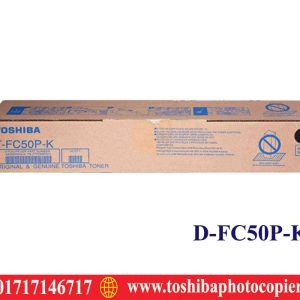
× T-FC50P-Y Yellow Toner Cartridge Price in Bangladesh Toshiba T-FC50P-K Original Black Toner Cartridge 6,850.00৳ 
6,850.00৳ 
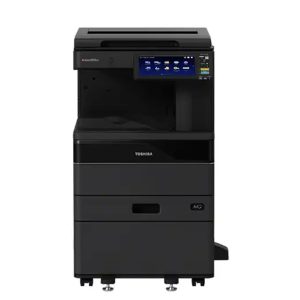
× Toshiba e-Studio 2020AC Color Photocopier Price in bangladesh Toshiba e-Studio 2020AC Color Photocopier Machines 102,500.00৳ 
102,500.00৳ 
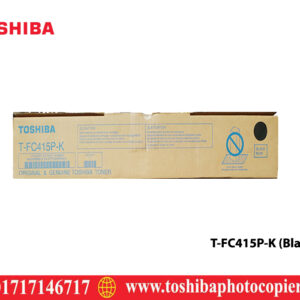
× Toshiba T-FC415P-K Black Toner Cartridge Toshiba T-FC415P-K Black Toner Cartridge 12,000.00৳ 
12,000.00৳ 
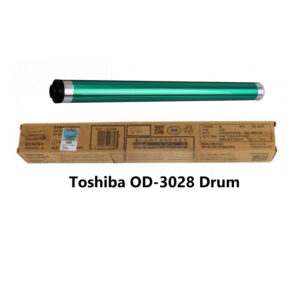
× Toshiba OD-3028 Original Black Drum Unit for e-Studio 2528A 3028A 3528A 4528A Toshiba OD-3028 Black Drum for e-Studio 2528A, 3028A, 3528A, 4528A 4,500.00৳ 
4,500.00৳ 
× Toshiba e-STUDIO 2006 Start Copy Button – Part No: 6LH882340 Toshiba e-STUDIO 2006 Start Copy Button Price in Bangladesh 1,500.00৳ 
1,500.00৳ 
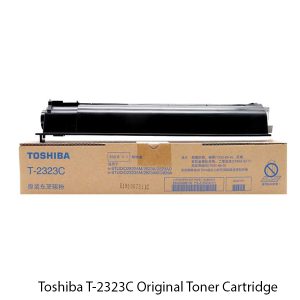
× Toshiba T-2323C Original Toner Cartridge Toshiba T-2323C Original & Genuine Toner Cartridge 6,500.00৳ 
6,500.00৳ 
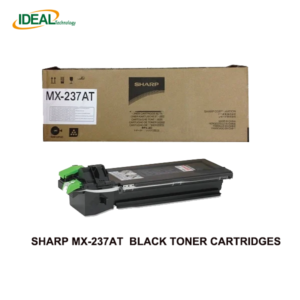
× Printing Color Black Page Yield 23000 Pages Sharp Mx-237AT Original Photocopier Toner Cartridge 7,900.00৳ 
7,900.00৳ 
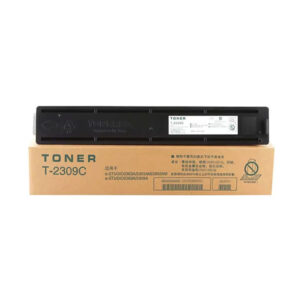
× Toshiba T-2309C Compatible Black Toner Cartridge for Toshiba e-Studio 2303AM 2309A 2803A Photocopiers Toshiba T-2309C Compatible Toner for Photocopier (NOB) 1,800.00৳ 
1,800.00৳ 
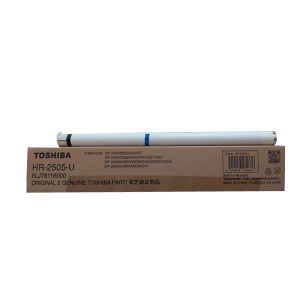
× The Toshiba HR-2505-U Original Fuser Roller works for Heating Section to make proper printing of the document easy process. Its estimated copy life is 75,000, made by China & supported for Toshiba e-Studio 2006, 2007, 2307, 2306, 2506, 2507, 2303A, 2303AM, 2307, 2309A, 2505, 2505F, 2505H, 2803A, 2803AM, 2809, 2523A, 2523AD, 2323AM, 2823AM, 2329A, 2829A Series Photocopiers. Toshiba HR-2505-U Original Fuser Roller 3,200.00৳ 
3,200.00৳ 
× We Sales Toshiba e-Studio all series Copiers Firmware in all over bangladesh. we sales all latest version firmware from Toshiba Official Store Toshiba e-Studio all series Copiers Firmware in Bangladesh 4,500.00৳ 
4,500.00৳ 
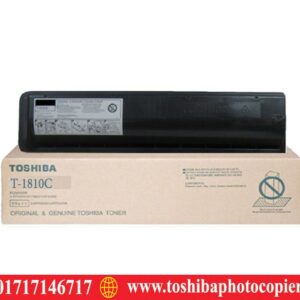
× T-1810C T-1810C Toner for Toshiba e-Studio181/182/211/212/242 3,000.00৳ 
3,000.00৳ 
× Brand: Toshiba (Re) Item Category: Photocopier Accessories Model Number: 6LJ8624000,6LJ7861800 For use in: Toshiba e-STUDIO 2306,2006,2007,2809A,2303A,2803A,2303AM,2309A,2507,2802AF,2802AM,2809A,2523A,2523AD,2323AMW,2323AMS,2823AMW Duty Cycle up to (Yield): 500000 Pages Warranty: No warranty Toshiba e-Studio 2523A Main Upper Charger Unit (Reconditioned) 1,200.00৳ 
1,200.00৳ 
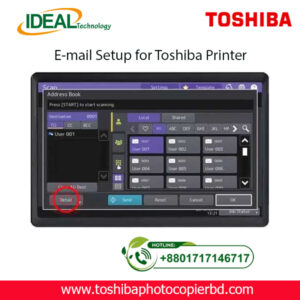
× How to Setup Email on Toshiba e-Studio Printer? If you are looking to set up email on your Toshiba e-Studio printer, you have come to the right place. In this article, we will walk you through the step-by-step process of configuring your printer to send emails. With the advancements in technology, printers are no longer limited to just printing documents. They can now be used for various tasks, including sending emails. Setting up email on your Toshiba e-Studio printer is a simple process that can be done in just a few minutes. Follow the steps below to get started. Step 1: Check Your Network Connection Before setting up email on your Toshiba e-Studio printer, ensure that your printer is connected to the same network as your computer. This is essential to establish a connection between the printer and the email server to send emails. Step 2: Access the Printer’s Web Interface To begin the setup process, access the web interface of your Toshiba e-Studio printer. You can do this by entering the printer’s IP address into your web browser. Once you are on the web interface, navigate to the settings menu to configure the email settings. Step 3: Configure Email Settings In the settings menu, locate the email settings option and enter the details of your email server, such as the SMTP server address, port number, and authentication settings. You will also need to enter the email address from which the emails will be sent. Step 4: Test Email Settings After entering the email settings, test the configuration by sending a test email from the printer. This will help you verify that the email setup is successful and that you can send emails from your Toshiba e-Studio printer. Step 5: Send Emails from Your Printer Once the test email is sent successfully, you can now start sending emails directly from your Toshiba e-Studio printer. Simply select the document you want to send via email and choose the email option from the printer’s menu. By following these simple steps, you can easily set up email on your Toshiba e-Studio printer and send emails directly from the printer. This convenient feature allows you to streamline your workflow and send important documents quickly and efficiently. In conclusion, setting up email on your Toshiba e-Studio printer is a straightforward process that can greatly enhance the functionality of your printer. With the ability to send emails directly from the printer, you can save time and simplify your work process. So why wait? Follow the steps outlined above and start sending emails from your Toshiba e-Studio printer today! SEO Meta-description: Learn how to set up email on your Toshiba e-Studio printer in just a few simple steps. Send emails directly from your printer hassle-free. At Ideal Technology BD, we are dedicated to providing expert guidance on setting up and optimizing your Toshiba e-Studio printer. If you have any questions or need assistance with configuring your printer, feel free to reach out to our team for support. Happy printing! Toshiba Photocopier e-Studio MFP Email Setup 2,000.00৳ 
2,000.00৳ 
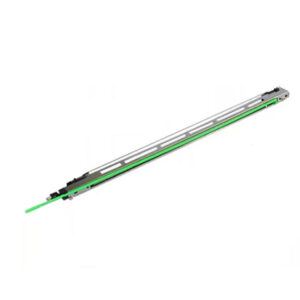
× Genuine Parts: We supply only original Toshiba parts, ensuring durability and reliable performance. Affordable Prices: Get the best deals on SCRAPER-16X and SCRAPER-470 in Bangladesh. Supports:  Toshiba e-studio 255, 256, 257, 305, 306, 355, 356, 357, 455, 456, 457 & 507 Photocopy Machines. Toshiba SCRAPER-16X 5Pcs Original Scraper 2,000.00৳ 
2,000.00৳ 

Cart totals

Subtotal 171,950.00৳ 
Total 171,950.00৳ 
Search products
Back to Top
Product has been added to your cart