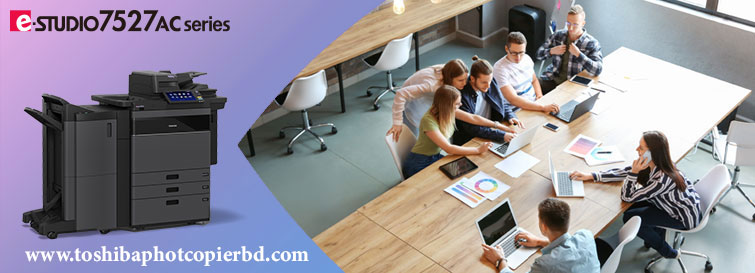
Toshiba Photocopier and scan what you need from your smartphone!
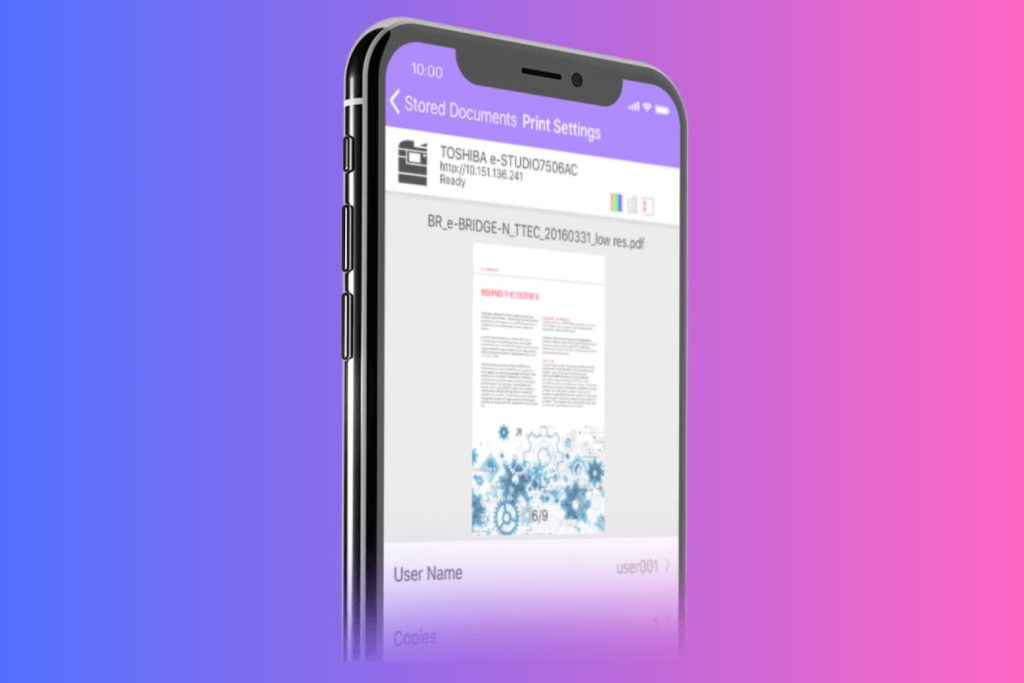
Be faster and more efficient

Now, on Android and iOS smartphones and tablets, it is possible to perform tasks that were previously only possible on computers. You can print and scan directly from your mobile phone using the TOSHIBA app without interruptions, thanks to an intuitive and attractive user interface. All the information you need will be within reach, regardless of your location. 

Convert images into editable documents

If you have Toshiba Re-Rite OCR software, you have the ability to generate editable documents in 22 different formats from files scanned on the multifunction printer. This integration feature allows you to convert them to formats such as PDF, HTML and Office suite formats such as Word, Excel and PowerPoint.

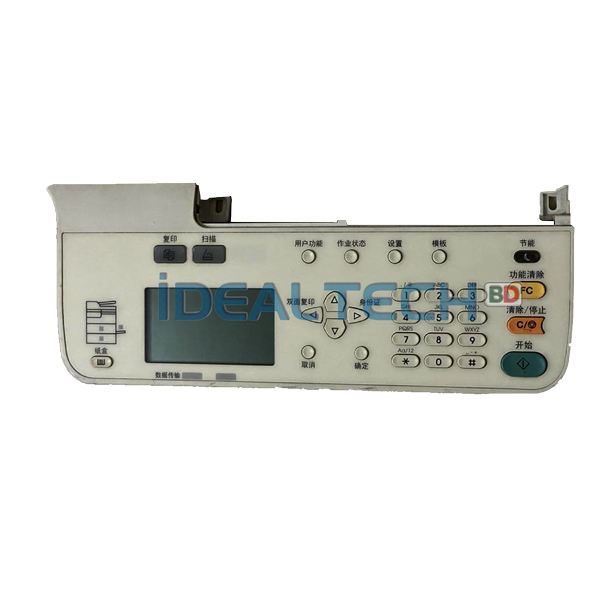
Buy now the best price for Toshiba e-Studio2303A/2303AM/2309A/2809A/2803A/2803AM Photocopier Control Panel Machines.

Display board/Panel board/Keyboard for Toshiba e-Studio 2303A/2309A/2006/2809A/2306/2007/2307/2506 & 2507

Sure! Below is a sample blog post tailored for Ideal Technology BD, focusing on the availability of display boards, panel boards, and keyboards for Toshiba photocopiers.


Ideal Technology BD: Your One-Stop Solution for Toshiba Photocopier Parts

At Ideal Technology BD, we understand the importance of running your office equipment smoothly. As one of the leading providers of photocopier solutions, we specialize in providing high-quality replacement parts for a wide range of Toshiba photocopier models.

If you’re using any of the popular Toshiba photocopier models, such as the Toshiba 2523A, 2523AD, 2323AM, 2303A, 2309A, 2006, 2323AMW, 2329A, 2823AM, 2809A, 2306, 2007, or 2307, you’ve come to the right place. We offer reliable and efficient solutions to ensure your copier continues operating at its best.

Essential Copier Parts for Toshiba Models

Toshiba photocopiers are known for their advanced features and reliability. However, like any office equipment, they can wear and tear over time. Common issues with photocopiers often arise from problems with the Display Board, Panel Board, or Keyboard. Fortunately, Ideal Technology BD provides easy access to these critical replacement parts.

1. Display Board (Control Panel)

The Display Board (also known as the control panel) is the interface where users interact with the photocopier. Whether you’re adjusting settings, checking machine status, or initiating copying tasks, the display board is central to the copier’s operation. If your copier’s display becomes unresponsive, shows error messages, or malfunctions, it may be time for a replacement.

2. Panel Board

The Panel Board is responsible for the copier’s physical buttons or touchscreen functionality. This board lets you operate the machine by selecting functions, entering numbers, and navigating menus. If the buttons are sticking or the screen isn’t responding, a replacement panel board will restore the copier to optimal functionality.

3. Keyboard

Some Toshiba photocopiers, especially older models, use a physical keyboard for data entry. The keyboard allows you to type in text or numbers, such as when sending faxes or entering user information. Over time, keyboards can wear out, with keys becoming unresponsive or broken. Replacing the keyboard ensures your copier remains user-friendly.

Why Choose Ideal Technology BD?

  • High-Quality Parts: We only supply high-quality, original replacement parts to ensure your copier performs as intended.
  • Fast Delivery: We understand the urgency of keeping your business operations running smoothly. Ideal Technology BD ensures fast and reliable delivery of all parts.
  • Affordable Pricing: Our goal is to offer the best pricing for copier parts without compromising on quality.
  • Expert Service: Our team of experienced technicians is ready to answer any questions and offer repair services to ensure your copier is working like new.

Toshiba Copier Models We Serve

Ideal Technology BD provides parts and services for a wide variety of Toshiba photocopier models, including:

  • Toshiba 2303A
  • Toshiba 2309A
  • Toshiba 2006
  • Toshiba 2809A
  • Toshiba 2306
  • Toshiba 2007
  • Toshiba 2307
  • Toshiba e-Studio 2303AM
  • e-Studio 2507
  • e-Studio 2506

No matter which model you own, Ideal Technology BD has the right part for you!

Contact Us Today

If you are experiencing issues with your Toshiba photocopier or need to replace a display board, panel board, or keyboard, Ideal Technology BD is here to help. Visit our website or call us to quickly get your copier back in working condition.


e-STUDIO6526AC/6527AC/7527AC

e-STUDIO6526AC/6527AC/7527AC

The e-STUDIO6526AC/6527AC/7527AC are the next generation of high-end color MFPs boasting a high-performance output of 65 and 75 ppm, the fullest range of security features, and cloud-ready features. These multifunction printers are a great choice for modern, hybrid work environments.

Specifications

Modele-STUDIO6526ACe-STUDIO6527ACe-STUDIO7527AC 
GeneralFeature 
Copy / Print Speed (ppm)Color656575 
B & W657585 
Warm-up TimeAfter power-onApprox. 20 sec. (68F/ 20C) 
From sleep modeLess than 15.4 sec. (68F/ 20C) 
From low power modeLess than 15.4 sec. (68F/ 20C)
MemoryStd.6GB
(Main memory + Page memory)
StorageStd. 128 GB(SSD)(Shared for all imaging functions)/ Opt. 512 GB(SSD) or 320 GB(HDD) 
Dimension(W × D × H)
(Height at original glass/Angle of control panel:90 degrees)
955 × 698 × 1,227 mm / 37.6″ × 27.5″ × 48.3″ 
WeightApprox. 209 kg / 460.7lbs(Incl. Drum / Developper) 
Input Paper CapacityStandardLCF model: 3,520 sheets (20 lb & 80 gsm)
4-drawer model: 2,280 sheets (20 lb & 80 gsm)
 
MaximumLCF model: 8,020 sheets (20 lb & 80 gsm, w/Optional LCF)
4-drawer model: 6,780 sheets (20 lb & 80 gsm, w/Optional LCF)
 
Available Paper Weight
(via SFB)
60 – 300 g/m² / 16 lb. Bond – 110 lb. Cover 
Available Paper size
(via SFB)
100 x 148 mm to 330 x 483 mm , Banner paper (- 313.4 x 1200 mm) 
Document feederStandard 300-sheet DSDF 
DuplexingStandard 
Finishing OptionMulti-Position stapling finisher, Saddle Stitching Finisher 
Copier Feature 
First Copy TimeColorApprox. 5.2 sec.Approx. 4.5 sec.Approx. 4.1 sec. 
B & WApprox. 6.4 sec.Approx. 6.4 sec.Approx. 5.4 sec. 
ResolutionColor600 dpi x 600 dpi, 5bit 
B & W600 dpi x 600 dpi, 1bit *1
600 dpi x 600 dpi, 5bit *2
2400 dpi(Equivalence) x 600 dpi (with smoothing) *3
*1 or *2 or *3 is selected by copy mode automatically.No selectable by user.
 
Gradation256 steps 
Multiple CopyUp to 9999 Copies/ Ten key input 
Printer Feature 
ResolutionAll PDL:600 dpi x 600 dpi, 5bit
PS only: 1,200 dpi x 1,200 dpi,2bit(3,600 dpi(Equivalence) x 1,200 dpi)
 
PDLPCL5e/c, PCL6 (PCL XL), PS3, PDF, XPS, JPEG 
InterfaceStandard10/100/1000baseT, USB 2.0 High Speed USB 
OptionIEEE802.11b/g/n, Bluetooth 
Scanner Feature 
Resolution100/150/200/300/400/600dpi 
Scan Speed120/240 ppm (100,150,200,300 dpi), 80/160 ppm (400 dpi), 70/120 ppm (600 dpi) 
Data format
(Color)
StandardJPEG, TIFF-Multi/Single Page, PDF-Multi/Single Page, Slim PDF-Multi/Single Page, XPS-Multi/Single Page 
OptionDOCX-Multi/Single Page, XLSX-Multi/Single Page, PPTX-Multi/Single Page 
Scan featuresScan to File, Scan to E-mail, Scan to e-Filing, Scan to WS Scan, Scan to USB, Scan Preview 
Fax Feature (option) 
Communication mode / Modem SpeedSuper G3, G3 / 33.6 kbps- 2.4 kbps (automatic fallback) 
Data CompressionJBIG, MMR, MR, MH 
Number of Lines (Std. / Max.)1/2 
Phonebook3,000 stations 
Security Feature 
StandardTPM 2.0, Anti-malware, Secure Boot, Self-Encrypting SSD, Private Print, Encrypted/digitally Signed PDF, User Authentication, Role Based Access Control, IP/MAC address filtering, TLS, Data Overwrite, 802.1X, SMBv3, Password policy, SNMPv3, Confidentiality setting, Tampering Prevention of Firmware, Hardcopy Security Printing, SCEP 
OptionalIPsec, FIPS certified Self-Encrypting HDD with Wipe Function, User Authentication(IC Card, Fingerprint, NFC, Multi-factor etc.), Trackable Hardcopy Security Printing 
Search products
Back to Top
Product has been added to your cart