
FRAME-FUS-HR-284-N
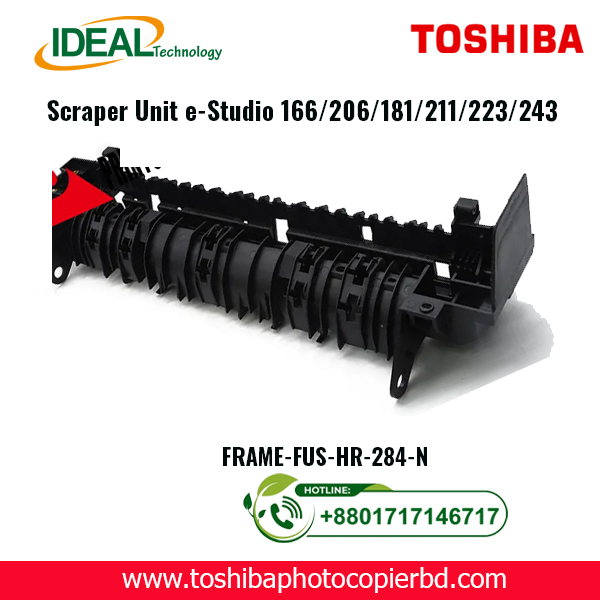
Toshiba FRAME-FUS-HR-280 Scraper Unit for e-Studio Copiers
Are you looking for a reliable and efficient scraper unit for your Toshiba e-Studio copiers? Look no further! The Toshiba FRAME-FUS-HR-280 Scraper Unit is the perfect solution for your printing needs. In this article, we will discuss the key features, benefits, and installation process of this high-quality scraper unit.
Key Features
The Toshiba FRAME-FUS-HR-280 Scraper Unit is specifically designed for e-Studio 166, 206, 163, 165, 181, 211, 223, and 243 copiers. Here are some of its key features:
Compatibility: This scraper unit is compatible with a wide range of Toshiba e-Studio copiers, making it a versatile and cost-effective solution.
Efficiency: The FRAME-FUS-HR-280 is designed to efficiently remove excess toner and debris from the copier’s drum surface, ensuring crisp and clean prints every time.
Durability: Made from high-quality materials, this scraper unit is built to last, providing long-lasting performance and reliability.
Easy Installation: With simple and straightforward installation instructions, you can easily replace your old scraper unit with the Toshiba FRAME-FUS-HR-280 in no time.
Benefits
There are several benefits to using the Toshiba FRAME-FUS-HR-280 Scraper Unit for your e-Studio copiers:
Improved Print Quality: By effectively removing toner buildup and debris, this scraper unit helps maintain optimal print quality.
Extended Printer Life: Regularly replacing the scraper unit can help prolong the life of your copier and prevent costly repairs.
Cost Savings: Investing in a high-quality scraper unit can save you money in the long run by reducing maintenance and repair costs.
Peace of Mind: With the Toshiba FRAME-FUS-HR-280, you can have peace of mind knowing that your copier is in good hands.
Installation Process
Installing the Toshiba FRAME-FUS-HR-280 Scraper Unit is a simple and straightforward process. Here’s a step-by-step guide to help you replace your old unit:
Turn off the copier and unplug it from the power source to ensure safety during the installation process.
Open the front panel of the copier to access the old scraper unit.
Remove the old unit by gently pulling it out from the copier.
Insert the new FRAME-FUS-HR-280 scraper unit into the designated slot, making sure it is securely in place.
Close the front panel of the copier and plug it back in.
Turn on the copier and run a test print to ensure the new scraper unit is installed correctly.
With the Toshiba FRAME-FUS-HR-280 Scraper Unit, you can enjoy hassle-free printing and consistent results with your e-Studio copiers.
In conclusion, the Toshiba FRAME-FUS-HR-280 Scraper Unit is the perfect choice for maintaining the quality and performance of your Toshiba e-Studio copiers. With its compatibility, efficiency, durability, and ease of installation, this scraper unit offers a seamless printing experience.Upgrade your copier with the Toshiba FRAME-FUS-HR-280 Scraper Unit today and experience the difference it makes in your printing operations.
Add a review
Your email address will not be published. Required fields are marked *