Search products
Remove item Thumbnail image Product Price Quantity Subtotal
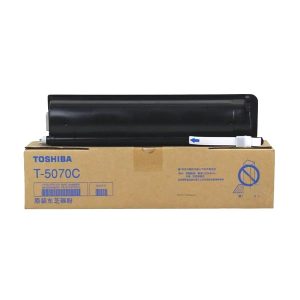
× Toshiba T-5070C Black Original & Genuine Toner Cartridge Supplies are specifically designed for the following Models: Toshiba e-Studio 257, Toshiba e-Studio 307, Toshiba e-Studio 357, Toshiba e-Studio 457 & Toshiba e-Studio 507 Photocopier Machines. It has 700gm weight and maximum yield ± 36000 pages @ 5% average coverage & Get a great value for everyday business Coping / Printing. Toshiba T-5070C Original Black Toner Cartridge 8,500.00৳ 
8,500.00৳ 
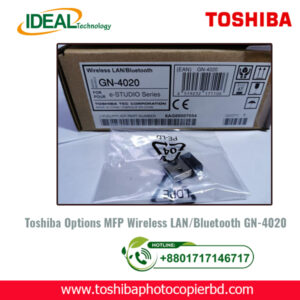
× Toshiba GN4020 Wireless & Bluetooth Printing Enabler: The Ultimate Solution for Wireless Printing Introduction: In this digital age, where convenience and efficiency are paramount, having a reliable printing solution is crucial for both personal and professional use. The Toshiba GN4020 Wireless & Bluetooth Printing Enabler is a cutting-edge device that takes printing to the next level. With its seamless wireless connectivity and advanced features, it is the ultimate solution for all your printing needs. What is the Toshiba GN4020 Wireless & Bluetooth Printing Enabler? The Toshiba GN4020 Wireless & Bluetooth Printing Enabler is a compact and versatile device that allows you to print wirelessly from any compatible device. Whether you need to print documents from your laptop, smartphone, or tablet, this innovative device makes the process quick and easy. Why should you choose the Toshiba GN4020? Seamless Connectivity: With wireless and Bluetooth capabilities, the Toshiba GN4020 ensures that you can print from anywhere in your home or office without the need for cumbersome cables. High-Quality Printing: The GN4020 delivers crisp, professional-quality prints every time, ensuring that your documents look their best. Easy Setup: Setting up the Toshiba GN4020 is a breeze, thanks to its user-friendly interface and straightforward installation process. Wide Compatibility: The Toshiba GN4020 is compatible with a wide range of devices, making it a versatile printing solution for all your needs. How does the Toshiba GN4020 work? The Toshiba GN4020 connects to your devices wirelessly or via Bluetooth, allowing you to send print jobs effortlessly. Simply pair your device with the GN4020, select the document you want to print, and the device will take care of the rest. Key Features of the Toshiba GN4020: Wireless and Bluetooth connectivity for hassle-free printing. High-quality printing for professional results. Easy setup and user-friendly interface. Wide compatibility with various devices. Conclusion: In conclusion, the Toshiba GN4020 Wireless & Bluetooth Printing Enabler is a game-changer in the world of printing. Its cutting-edge technology, ease of use, and high-quality results make it the ultimate solution for all your printing needs. Say goodbye to cumbersome cables and outdated printing solutions - with the Toshiba GN4020, wireless printing has never been easier. Meta Description: Looking for a wireless printing solution? Check out the Toshiba GN4020 Wireless & Bluetooth Printing Enabler for seamless connectivity and high-quality results. Toshiba GN4020 Wireless & Bluetooth Printing Enabler 18,500.00৳ 
18,500.00৳ 
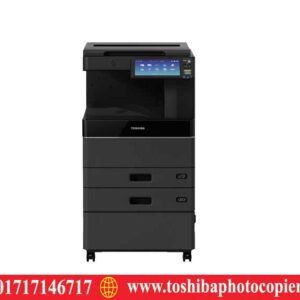
× Toshiba e-studio 2618A  Black & White Photocopier Toshiba e-Studio 2010AC color phoocopy repair shop 1,500.00৳ 
1,500.00৳ 
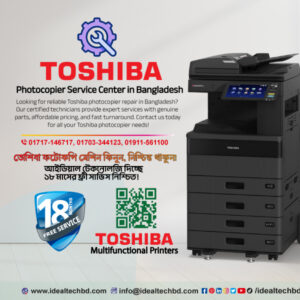
× Photocopier Service Center in Bangladesh Toshiba Photocopier Service Center in Bangladesh – Expert Repairs & Maintenance 700.00৳ 
700.00৳ 
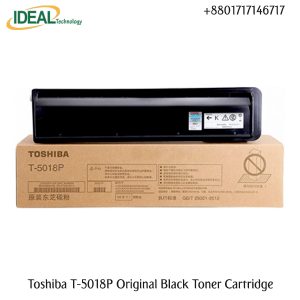
× Brand: TOSHIBA Model: T-5018P Color Type: Black Print Technology: Monochrome Laser Printing Yield (Approx): ±35,000 Pages Compatible: e-Studio 2518A; 3018A; 3518A; 4518A; 5018A Photocopier. Weight: 700gm Toshiba T-5018P Original Black Toner Cartridge 10,500.00৳ 
10,500.00৳ 
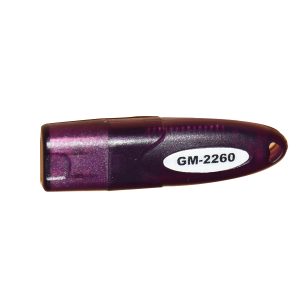
× Original Used GM-2260 Print Scan Enabler Dongle Price inBD. It's supported by Toshiba e-studio 256, 306, 356, and 456 Photocopier. Toshiba GM-2260 Print & Scan Enable Kit 3,900.00৳ 
3,900.00৳ 
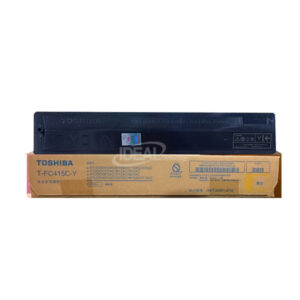
× Buy Toshiba T-FC415C-Y Yellow Toner from "Toshiba Photocopier BD" Shop Only. Toshiba T-FC415C-Y Yellow Toner Cartridge also supports the following models: Toshiba e-studio 2010AC, 2510AC, 2515AC, 3015AC, 3515AC, 4515AC, 5015AC, 2110AC, 2615AC, 3115AC, 3615AC, 4615AC/5115AC Multifunctional Color Photocopier Machines. T-FC415C-K Black Toner has a net weight of 570 gm and a maximum yield of ±25000 Pages @ 5% Average Coverage. Toshiba T-FC415C-Y Yellow Original & Genuine Toner 12,500.00৳ 
12,500.00৳ 
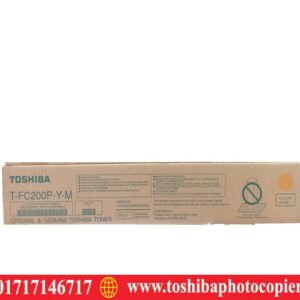
× T-FC200P-M Magenta Toshiba T-FC200P-M Magenta Toner Cartridge 10,500.00৳ 
10,500.00৳ 
× Toshiba e-Studio 2518A, 3018A, 2618A, 3118A Copiers Powerboard: A Comprehensive Guide Are you looking to enhance the performance of your Toshiba e-Studio copiers? The powerboard plays a crucial role in ensuring smooth operation and reliable functionality of these advanced machines. In this article, we will delve into the details of the Toshiba e-Studio 2518A, 3018A, 2618A, and 3118A copiers powerboard, and how it contributes to the overall efficiency of the devices. Understanding the Powerboard The powerboard, also known as the power supply board, is a vital component of the Toshiba e-Studio copiers. It is responsible for regulating the electrical power that is supplied to the various parts of the machine, ensuring stable voltage levels and preventing power surges that could potentially damage the copier's sensitive components. Key Functions of the Powerboard Voltage Regulation: The powerboard ensures that the copier receives a consistent voltage supply, preventing fluctuations that could lead to malfunctions or poor print quality. Power Distribution: It distributes power to the different sections of the copier, such as the fuser unit, imaging drum, and paper feed mechanisms, enabling smooth and efficient operation. Protection: The powerboard includes built-in protection mechanisms to safeguard the copier from power spikes or electrical faults, minimizing the risk of damage and downtime. Common Issues with Powerboards Over time, the powerboard of the Toshiba e-Studio copiers may encounter various issues that could affect the copier's performance. Some common problems include: Power Surges: Sudden power surges or electrical fluctuations can damage the powerboard, leading to erratic behavior or complete failure of the copier. Overheating: Continuous usage or environmental factors can cause the powerboard to overheat, affecting its efficiency and longevity. Component Failure: Individual components within the powerboard may fail due to wear and tear, necessitating repairs or replacement. Maintenance and Troubleshooting To ensure optimal performance and longevity of the powerboard in your Toshiba e-Studio copier, regular maintenance is essential. Here are some tips for effective maintenance and troubleshooting: Regular Inspections: Periodically check the powerboard for any signs of damage, corrosion, or loose connections. Cleaning: Keep the powerboard clean and free from dust or debris that could obstruct ventilation and contribute to overheating. Professional Assistance: For complex issues or component replacements, consult with a qualified technician to ensure proper maintenance and repairs. Conclusion The powerboard is a critical component of the Toshiba e-Studio 2518A, 3018A, 2618A, and 3118A copiers, providing essential support for their efficient operation. By understanding the key functions and common issues of the powerboard, you can take proactive measures to maintain its performance and ensure the longevity of your copier. Remember to prioritize regular maintenance and seek professional assistance when needed to keep your copier running smoothly. Meta Description: Learn about the importance of the powerboard in Toshiba e-Studio copiers and how to maintain optimal performance. Find out how to troubleshoot common issues and ensure your copier's longevity. So, have you ever experienced powerboard issues with your Toshiba e-Studio copier? Remember, proper maintenance and timely repairs can make all the difference in ensuring smooth and reliable operation. Toshiba Photocopier Power Suppy Board PS-ACC-K100D-PT 12,500.00৳ 
12,500.00৳ 

Cart totals

Subtotal 79,100.00৳ 
Total 79,100.00৳ 
Search products
Back to Top
Product has been added to your cart