Search products
Remove item Thumbnail image Product Price Quantity Subtotal
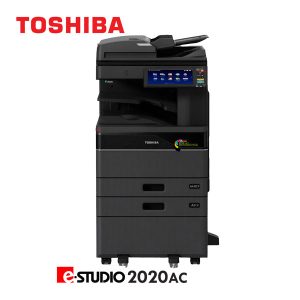
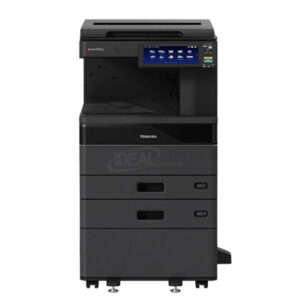
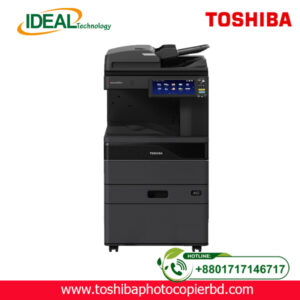
× Type: B&W Colour Multifunction Copier Print/ Copy Speed: 20 pages per minute Toner Yield: 25,000 @ 5% coverage Workgroup: Small to Medium Maximum Duty Cycle: 60,000 Month Optional Item: RADF/ DSDF/DSDF with DFD/ Paper Drawers/ Stapling/ Hole Punch/ Folding/ Fax Kit/ Envelope Cassette. Toshiba e-Studio 2020AC With Extra Drawer & RADF 187,000.00৳ 
187,000.00৳ 
× Toshiba e-STUDIO 400AC Series Firmware Latest Update Banner showing multifunction photocopier machine with firmware download promotion, features, pricing and payment options Toshiba e-STUDIO 400AC Series Firmware 3,500.00৳ 
7,000.00৳ 
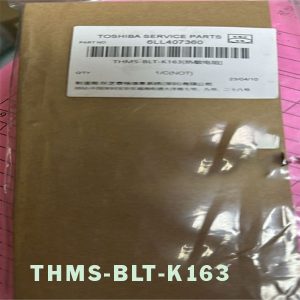
× Searching for a reliable and affordable fuser thermistor for your Toshiba e-Studio photocopier? Your quest ends here at Ideal Technology (BD) Ltd.! As Bangladesh's leading Toshiba Photocopier Sales Center Agent, we proudly present the Toshiba e-Studio 2525AC/3025AC/3525AC Fuser Thermistor, designed to deliver exceptional performance at a pocket-friendly price. Don't compromise on print quality - trust this essential component to provide accurate temperature control for your photocopier. Hurry, grab this incredible deal today and experience uninterrupted productivity. Toshiba e-Studio 3025AC THMS-BLT-K163 Thermistor 0.00৳ 
0.00৳ 
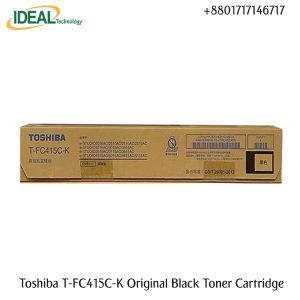
× Toshiba T-FC415C-K Black Toner Cartridge with Best Price in Bangladesh Toshiba T-FC415C-K Black Original & Genuine Color Copier Toner Cartridge for Toshiba E STUDIO 2110AC, E STUDIO 3115AC, E STUDIO 2515AC, Toshiba E STUDIO 3015AC, Toshiba E STUDIO 3515AC, Toshiba E STUDIO 4515AC & Toshiba E STUDIO 5015AC. The Toshiba T-FC415P-K Black Genuine copier toner cartridge. This Toner Cartridge Also Supported the Following Models Toshiba E STUDIO 2515AC, Toshiba E STUDIO 2110AC, E STUDIO 3115AC, E STUDIO 3015AC, Toshiba E STUDIO 3515AC, Toshiba E STUDIO 4515AC & Toshiba E STUDIO 5015AC. It has 550gm weight and maximum yield ± 25000 pages @5% average coverage. Toshiba T-FC415C-K Original Black Toner Cartridge 11,500.00৳ 
11,500.00৳ 
× Brand: TOSHIBA Model: E-Studio 3028A Monochrome Basic MFPs. Function: Copy, Print, Scan. Speed: 30 ppm A4, 16 ppm A3. RAM: 4GB, Storage: SSD 128GB. Display: 10.1" Colour WSVGA Touch Screen Paper Capacity: Standard 2 x 550 + 100 Sheets Print & Scanner: Built in Print & Color Scan Facilities Toshiba e-Studio 3028A Copier Machine With RADF 219,500.00৳ 
219,500.00৳ 
× ### **Main Features of Toshiba e-STUDIO 2528A Copier** ✔ **Fast Copying Speed** – **25 pages per minute (PPM)** for efficient document processing. ✔ **High-Quality Printing** – **600 x 600 dpi resolution** for sharp and professional prints. ✔ **Quick First Copy Out Time** – Produces the first copy in **less than 4.3 seconds**. ✔ **Large Paper Capacity** – **Standard 1,200 sheets**, expandable up to **5,200 sheets**. ✔ **Automatic Duplex Printing** – Standard **double-sided printing** for cost savings. ✔ **10.1” Color Touch Screen** – Intuitive **WSVGA tilting display** for easy operation. ✔ **Multiple Copying Function** – Capable of making **up to 999 copies** in a single job. ✔ **Versatile Paper Handling** – Supports **A3, LD, and custom paper sizes** from **3.9” x 5.8” to LD**. ✔ **High Monthly Duty Cycle** – Handles up to **100,000 pages per month** for heavy-duty printing. ✔ **Powerful Performance** – Equipped with **4GB RAM** and **128GB SSD** for smooth operations. ✔ **Energy-Efficient** – **Fast warm-up time** (approx. **20 seconds**) for minimal downtime. ✔ **Reliable and Durable** – Built for **long-lasting performance** in business environments. ✔ **Flexible Paper Weights** – Supports paper from **16 lb Bond to 140 lb Index**. ✔ **Standard & Optional Paper Feeders** – Various drawer and cassette options for **customized paper handling**. ✔ **Low Power Consumption** – Maximum **1.8kW (120V)** for energy efficiency. This **high-performance Toshiba copier** is perfect for **businesses, offices, and enterprises** that require **efficient, high-volume printing, copying, and scanning** solutions. 🚀 Toshiba e-STUDIO 2528A Best Monochrome Photocopier 148,000.00৳ 
444,000.00৳ 
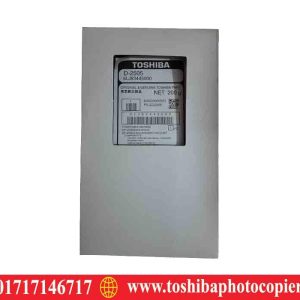
× Toshiba e-studio 2006 Developer D-2505 Price in Bangladesh Toshiba e-studio 2505F Developer D-2505 Price in BD 2,500.00৳ 
2,500.00৳ 
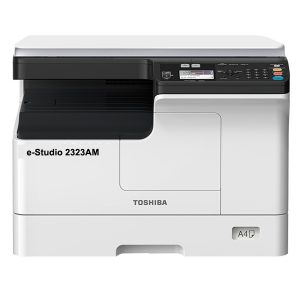
× Toshiba 2323AM Description Standard duplex printing, 23 pages per minute, 15 seconds warm-up time, standard network printing, standard network color scanning, 23 pages per minute A4 output speed, support for double-sided A3 processing, support direct mobile phone print / scan. Toshiba e-Studio 2323AM Multifunction Photocopier 58,500.00৳ 
117,000.00৳ 
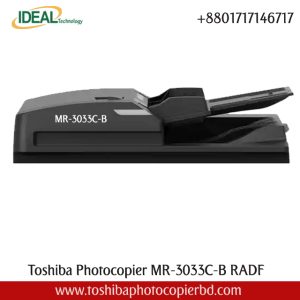
× Buy Toshiba Photocopier MR-3033C-B RADF Best Price In Bangladesh Toshiba MR-3033 RADF Automatic Double-Sided Documents Feeder has 100 sheet capacity, A5-A3, 35-157gsm, mime plain paper and can be used with e-Studio 2020ac, e-Studio 2520ac, e-Studio 2525AC, e-Studio 2528a, e-Studio 3025AC, e-Studio 3028a, e-Studio 3528a, e-Studio 3525ac, e-Studio 3528a,  e-Studio 5525A, and e-Studio 4528a Photocopiers. It uses easy Color scanning super fast 72 IPM and the scanning color Scan. It has no warranty Toshiba MR-3033C-B Document Feeder (RADF) 49,800.00৳ 
49,800.00৳ 
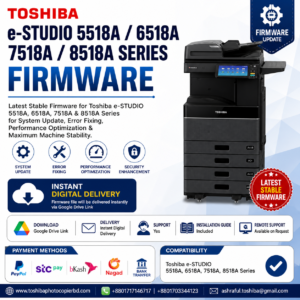
× Toshiba e-STUDIO 5518A 6518A 7518A 8518A Series Firmware update banner showing digital download, system upgrade, and printer performance optimization Toshiba e-STUDIO 8518A, 5518A, 6518A & 7518A Firmware 3,500.00৳ 
7,000.00৳ 
× "Copy King: The Go-To Photocopier Repair Shop in Bangladesh!" Toshiba Photocopier Repairing Service Price in Bangladesh 700.00৳ 
700.00৳ 
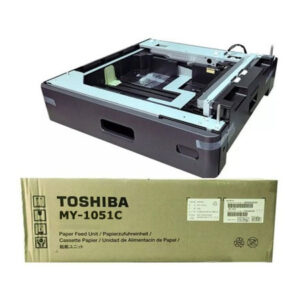
× Sure! Here's a clean, professional **feature list** for the **Toshiba MY-1051C Paper Feed Unit**: --- ### **TOSHIBA MY-1051C Paper Feed Unit – Key Features** - ✅ **Brand:** TOSHIBA - ✅ **Model:** MY-1051C - ✅ **Design:** Simple, Smart & Stylish - ✅ **Type:** Extra Paper Feed Unit / Drawer - ✅ **Paper Capacity:** 550 Sheets (A3) - ✅ **Supported Paper Sizes:** A5R to A3 - ✅ **Paper Weight Range:** 64 – 80 g/m² - ✅ **Ideal For:** Expanding paper capacity in compatible Toshiba e-STUDIO multifunction printers - ✅ **Reliable Performance:** Perfect for high-volume office printing --- Let me know if you want this styled for an eCommerce product page or a printable brochure! Toshiba MY-1051C 550-Sheets 2nd Drawer PFU 28,500.00৳ 
28,500.00৳ 
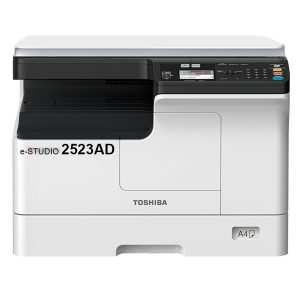
× Toshiba e-Studio 2523AD Photocopier Price in Bangladesh Toshiba e-Studio 2523AD Duplex Photocopier Machine 54,800.00৳ 
109,600.00৳ 
× Toshiba e-studio 2006 Developer D-2505 Price in Bangladesh Toshiba e-studio 2505H Developer D-2505 Price in BD 2,500.00৳ 
2,500.00৳ 
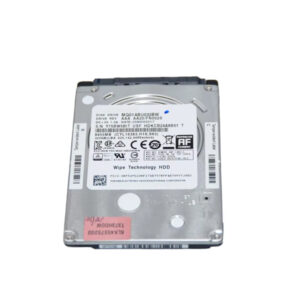
× 320GB Hard Disk Drive for Toshiba e-STUDIO Copier Machines Toshiba e-STUDIO Copier MQ01ABU032W 320GB Hard Disk 6,500.00৳ 
6,500.00৳ 
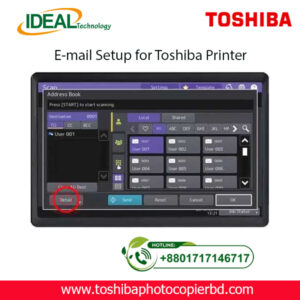
× How to Setup Email on Toshiba e-Studio Printer? If you are looking to set up email on your Toshiba e-Studio printer, you have come to the right place. In this article, we will walk you through the step-by-step process of configuring your printer to send emails. With the advancements in technology, printers are no longer limited to just printing documents. They can now be used for various tasks, including sending emails. Setting up email on your Toshiba e-Studio printer is a simple process that can be done in just a few minutes. Follow the steps below to get started. Step 1: Check Your Network Connection Before setting up email on your Toshiba e-Studio printer, ensure that your printer is connected to the same network as your computer. This is essential to establish a connection between the printer and the email server to send emails. Step 2: Access the Printer’s Web Interface To begin the setup process, access the web interface of your Toshiba e-Studio printer. You can do this by entering the printer’s IP address into your web browser. Once you are on the web interface, navigate to the settings menu to configure the email settings. Step 3: Configure Email Settings In the settings menu, locate the email settings option and enter the details of your email server, such as the SMTP server address, port number, and authentication settings. You will also need to enter the email address from which the emails will be sent. Step 4: Test Email Settings After entering the email settings, test the configuration by sending a test email from the printer. This will help you verify that the email setup is successful and that you can send emails from your Toshiba e-Studio printer. Step 5: Send Emails from Your Printer Once the test email is sent successfully, you can now start sending emails directly from your Toshiba e-Studio printer. Simply select the document you want to send via email and choose the email option from the printer’s menu. By following these simple steps, you can easily set up email on your Toshiba e-Studio printer and send emails directly from the printer. This convenient feature allows you to streamline your workflow and send important documents quickly and efficiently. In conclusion, setting up email on your Toshiba e-Studio printer is a straightforward process that can greatly enhance the functionality of your printer. With the ability to send emails directly from the printer, you can save time and simplify your work process. So why wait? Follow the steps outlined above and start sending emails from your Toshiba e-Studio printer today! SEO Meta-description: Learn how to set up email on your Toshiba e-Studio printer in just a few simple steps. Send emails directly from your printer hassle-free. At Ideal Technology BD, we are dedicated to providing expert guidance on setting up and optimizing your Toshiba e-Studio printer. If you have any questions or need assistance with configuring your printer, feel free to reach out to our team for support. Happy printing! Toshiba Photocopier e-Studio MFP Email Setup 2,000.00৳ 
2,000.00৳ 
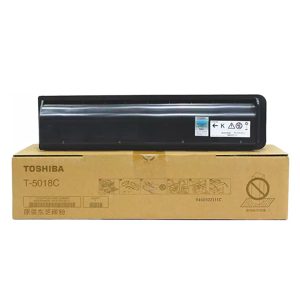
× Toshiba T-5018C Black Toner Cartridge for e-Studio 2618A 3118A 4618A 2518A 3018A 4518A Toshiba T-5018C Original Black Toner Cartridge 8,500.00৳ 
8,500.00৳ 
× Ideal Technology BD - Photocopier Service in Bangladesh In today's fast-paced business world, having a reliable photocopier service is essential for any organization. Whether you need to make copies of important documents or print out reports for a meeting, having a top-notch photocopier service provider on your side can make all the difference. This is where Ideal Technology BD comes into play. With their team of expert photocopier engineers and technicians, they are known for providing unmatched service and support to businesses in Bangladesh. Photocopier Engineer / Technician Supply When it comes to photocopier service in Bangladesh, Ideal Technology BD stands out from the crowd. Their team of highly skilled and experienced photocopier engineers and technicians are trained to handle all types of photocopier issues, from paper jams to malfunctions in the printing process. They are committed to providing quick and efficient service, ensuring minimal downtime for your business operations. With Ideal Technology BD, you can rest assured that your photocopier is in good hands. Their engineers and technicians are equipped with the latest tools and technology to diagnose and repair any issues with your photocopier. Whether you have a small desktop copier or a large, high-volume machine, they have the expertise to keep it running smoothly. Expertise and Authority Ideal Technology BD has built a reputation for excellence in the field of photocopier service in Bangladesh. Their engineers and technicians undergo rigorous training to stay up-to-date on the latest advancements in photocopier technology. This commitment to continuous learning and improvement sets them apart from other service providers in the industry. When you choose Ideal Technology BD for your photocopier service needs, you can trust that you are getting the best in the business. Their team has years of experience working with all major brands of photocopiers, so you can rely on their expertise to keep your equipment running at peak performance. Trust and Reliability Trust is essential when it comes to choosing a photocopier service provider. With Ideal Technology BD, you can trust that your photocopier is in capable hands. Their team is dedicated to providing honest and transparent service, ensuring that you know exactly what is being done to your machine and why. When you partner with Ideal Technology BD for your photocopier service needs, you can have peace of mind knowing that they will always go the extra mile to ensure your complete satisfaction. From regular maintenance to emergency repairs, they are committed to providing the highest level of service and support to their clients. In conclusion, when it comes to photocopier service in Bangladesh, Ideal Technology BD is the top choice for businesses of all sizes. Their team of expert photocopier engineers and technicians, combined with their commitment to excellence, makes them the ideal partner for all your photocopier service needs. Trust Ideal Technology BD to keep your business running smoothly and efficiently. Meta Description: Looking for reliable photocopier service in Bangladesh? Ideal Technology BD offers expert photocopier engineers and technicians to keep your business running smoothly. Contact us today for all your photocopier service needs. Best Toshiba Photocopier Repair Services in Bangladesh 700.00৳ 
700.00৳ 
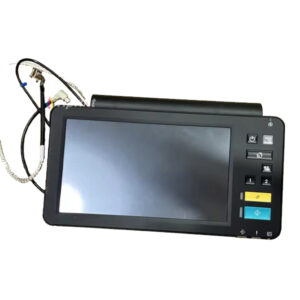
× Toshiba e-STUDIO Control Panel Board for 2518A, Toshiba e-Studio 2518A Series Control Panel Board 7,500.00৳ 
7,500.00৳ 
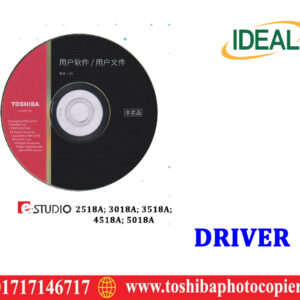
× Toshiba e-Studio 2518A Printer Driver Download Toshiba e-Studio 2518A Printer Driver Download 150.00৳ 
150.00৳ 
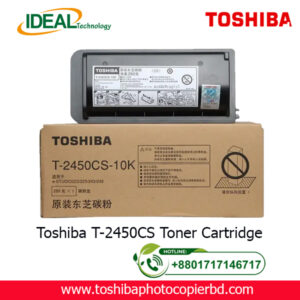
× Buy Toshiba T-2450CS Original Toner Cartridge Price in Dhaka. Bangladesh Toshiba T-2450CS-10K Original & Genuine Copier Toner Cartridge for Toshiba e-Studio 223, Toshiba e-Studio 225, Toshiba e-Studio 243 & Toshiba e-Studio 245. Toshiba supplies are specifically designed to work in Toshiba products. Our demanding specifications, high-quality standards, and rigorous testing ensure the highest-quality product will work best with your equipment. Toshiba T-2450CS Photocopier Toner Cartridge 2,950.00৳ 
2,950.00৳ 
× Photocopier Service Center: Quality Repairs for Your Office Equipment In today's fast-paced business world, having a reliable photocopier is essential for keeping your office running smoothly. However, when your photocopier breaks down, it can be frustrating and disruptive to your workflow. That's where a professional photocopier service center comes in to save the day. Why Choose a Photocopier Service Center? If you're experiencing issues with your photocopier, such as paper jams, poor print quality, or error messages, it's important to get it fixed as soon as possible. A dedicated photocopier service center has the expertise and experience to diagnose and repair any issues with your machine quickly and efficiently. With their technical know-how, they can get your photocopier up and running in no time, saving you time and hassle. What Services Do Photocopier Service Centers Offer? Photocopier service centers offer a range of services to keep your office equipment in top condition. From regular maintenance and cleaning to troubleshooting and repairs, they have all the tools and skills necessary to ensure your photocopier operates smoothly. Some of the common services offered by photocopier service centers include: Regular maintenance: Preventive maintenance can help extend the life of your photocopier and prevent costly breakdowns. Repairs: Whether it's a minor issue or a major malfunction, a service center can diagnose and repair any problem with your photocopier. Supply of parts: If your photocopier needs new parts or accessories, a service center can source and replace them for you. Installation: If you've recently purchased a new photocopier, a service center can help you set it up and configure it to your specific needs. How to Choose the Right Photocopier Service Center When selecting a photocopier service center for your office equipment, it's important to consider a few key factors. Look for a service center that has: Experience: Choose a service center that has a proven track record of repairing photocopiers and providing excellent service. Expertise: Make sure the technicians at the service center are trained and certified to work on your specific brand of photocopier. Promptness: A reliable service center should respond quickly to your service requests and provide timely repairs. Affordability: Compare prices and service packages from different service centers to find one that fits your budget. Ideal Technology BD: Your Trusted Photocopier Service Center Ideal Technology BD is a premier photocopier service center with years of experience in repairing and servicing all major brands of photocopiers. Our team of skilled technicians is dedicated to providing fast, reliable, and cost-effective repairs for your office equipment. Whether you need regular maintenance, repairs, or technical support, we've got you covered. With Ideal Technology BD, you can rest assured that your photocopier is in good hands. We pride ourselves on our commitment to quality service and customer satisfaction. So why wait? Contact Ideal Technology BD today for all your photocopier service needs. Remember, when it comes to keeping your office equipment running smoothly, a professional photocopier service center is your best bet. Don't let a malfunctioning photocopier slow you down – call Ideal Technology BD today for fast and reliable service. ? Photocopier Service Center: Quality Repairs for Your Office Equipment 700.00৳ 
700.00৳ 
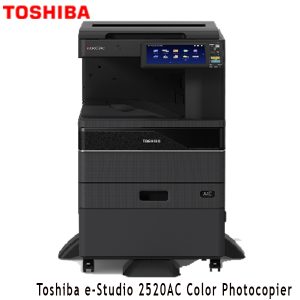
× Toshiba e-Studio 2520AC MFP Color Photocopiers Toshiba e-Studio 2520AC MFP Color Photocopiers 0.00৳ 
0.00৳ 
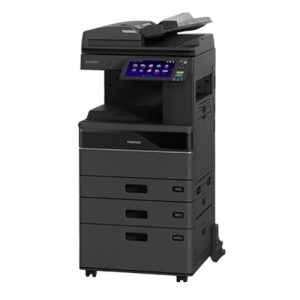
× Buy Toshiba e-Studio 2021AC Basic MFP Colour Copier Price in Bangladesh The Toshiba e-Studio 2021AC Basic Multifunctional Laser Color Printer has Reliable and Efficient A3 Colour Multifunction Printing System, offering advanced functions to small and medium-sized companies for quality colour printing in all working environments. The organisation within companies has definitely changed in recent years: information must be available everywhere and at any time. The Toshiba e-Studio 2021AC + Extra Drawer + RADF Color Copier Machine has Copy / Print and Scan Function, 20 ppm A4, 12 ppm A3. copy / print Speed, 1200 x99200 1bit DPI resolution, Paper Capacity (Tray 1: 250 pages + Bypass: 100 pages = 350 Pages) 350 Sheets Paper Capacity, 84.000 Colour, 84.000 Monochrome sheets monthly duty cycle, 4 GB RAM, SSD 128GB, Scan to e-filing, USB, PC, SMB, FTP, Email, Twain, Files, Mobile Printing, Network Printing, Cloud Printing, Top Access, e-filing, Template & Standard Scan OCR.They need to maintain secure, permanent access to their data to maintain maximum efficiency and productivity. Print, scan, copy and fax at a speed of 20 pages per minute, Large touch screen (26cm) customizable according to the needs of your company for a great simplicity of’use and optional voice assistance to adapt to all users, Optional voice assistance to adapt to all users, Cloud and mobile printing and a wide range of solutions that simplify the most complex workflows and give you access to your data wherever you are, High level of security guaranteeing the’ integrity of your data and your Computer Park. Toshiba e-Studio 2021AC Multifunctional A3 Color Photocopier (20ppm, Auto Duplex, Lan, RADF) 145,000.00৳ 
145,000.00৳ 
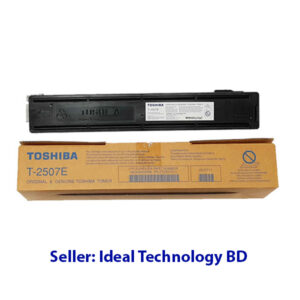
× Quick Overview Brand: TOSHIBA Model: T-2507E Colour Type: Black Print Technology: Monochrome Laser Printing Yield (Approx) : ±10,000 Pages Compatible: e-studio 2006; 2306; 2506; 2007; 2307; 2507. Weight: 240gm Toshiba T-2507E Black Laser Toner Cartridge 3,200.00৳ 
3,200.00৳ 
× Toshiba e-STUDIO 2006 Start Copy Button – Part No: 6LH882340 Toshiba e-STUDIO 2006 Start Copy Button Price in Bangladesh 1,500.00৳ 
1,500.00৳ 

Cart totals

Subtotal 1,365,300.00৳ 
Total 1,365,300.00৳ 
Search products
Back to Top
Product has been added to your cart