
IdealTechBD Service Contact Form

IdealTechBD- Service Request Form

Ideal Technology Copier Services has a lot of experience in this business. We are well known for services like photocopier sales, photocopier service and photocopier rental in Dhaka, Bangladesh. Our motto is Always Timely Delivery, Best Quality and Best Cost. We are communicating with our customers through quality, performance, service and support. To bring the best value to our customers, we also deal in bulk copier rentals in the industry. We care just as much about our customers.
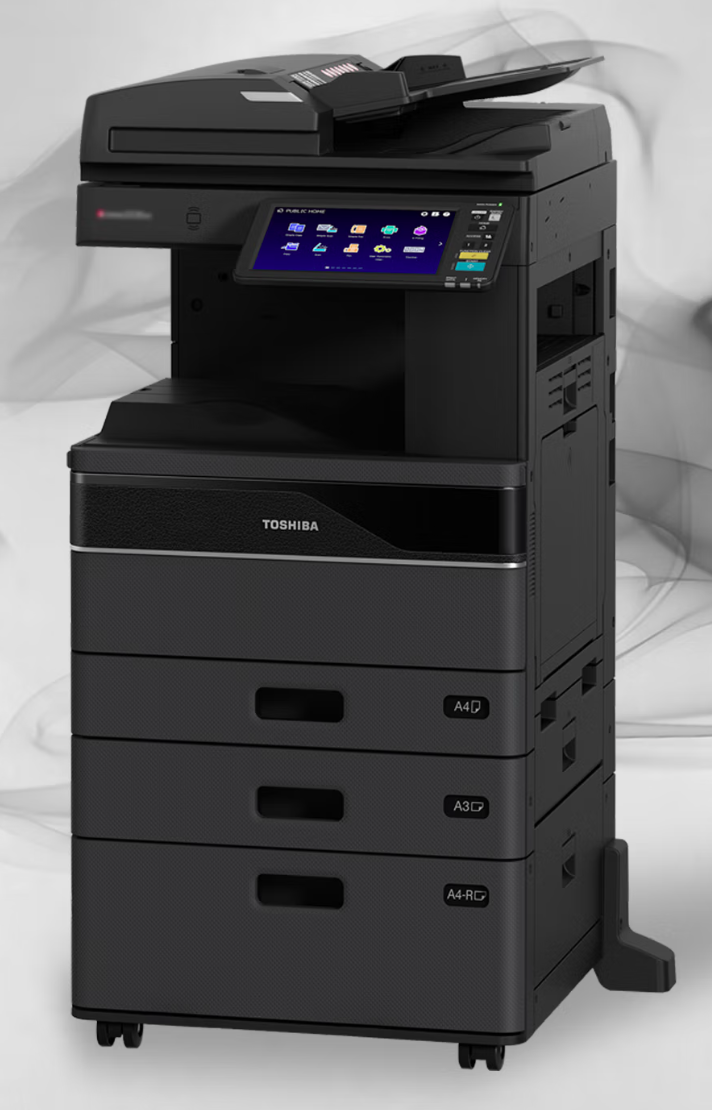
Toshiba e-Studio 2020AC Color Photocopier Machine

Call For Service F101_1

  • Code: F101_1
  • Description: Root partition mount error (HDD formatting fails.): The HDD cannot be connected (mounted) caused by damage to the areas in which the program is mainly stored.
  • Causes: HDD SYS board
  • Remedy: HDD, SYS board, Setting 1. Turn the power of the equipment OFF and check the connection of the HDD. – Connector and harness check – Check if the connector pins of the HDD are bent. 2. If the error still occurs after step 1, perform the following. – Perform [3C] - [5] (Key Backup Restore) and check that each Key Status is “OK”. – If not, recover the key (copy “SRAM Key Status” to “FROM Key Status” or vice versa). 3. If the error still persists after step 2, perform the following. – Perform [3C] - [3] (Format HDD), and then install “System Software (HD data)” with [49] – [4]. Notes: If F101_1 occurs with ADI-HDD and the error persists after performing step 3, perform step 3 after performing [4]+[C]+[POWER] - 1. Revert the factory initial status HDD. 4. If the error persists even after step 3, replace the HDD.
Search products
Back to Top
Product has been added to your cart